> ## Documentation Index
> Fetch the complete documentation index at: https://docs.hotglue.com/llms.txt
> Use this file to discover all available pages before exploring further.
# Inline component
> Connections React component reference
# Description
Embeddable React component that allows users to connect and manage their connected integrations.
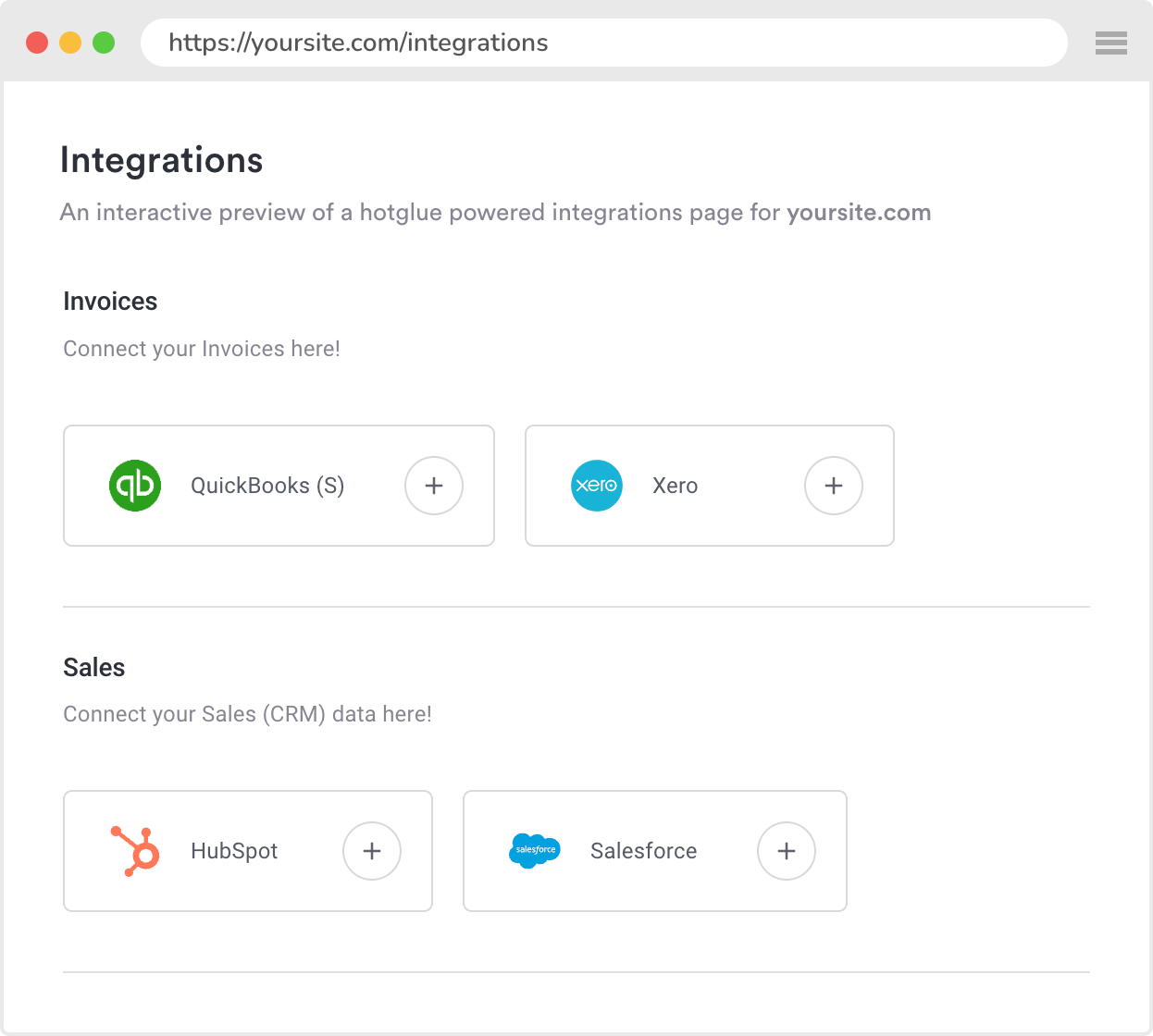
The Connections React component is an inline version of the hotglue widget. Rather than including the widget as a modal (dialog) in your web-app, the Connections component allows for a more native experience. See an example below:
# Usage
First you must include the `HotglueConfig` provider as a higher order component in your React app. For example, in `index.js`:
```javascript index.js theme={null}
import React from 'react';
import ReactDOM from 'react-dom';
import App from './App';
import HotglueConfig from '@hotglue/widget';
ReactDOM.render(
,
document.getElementById('root')
);
```
Then you can use the `Connections` component, as shown below:
```javascript App.js theme={null}
import React from 'react'
import { Connections } from '@hotglue/widget';
const App = (props) => {
return (
);
};
export default App;
```
# Properties
| Name | Type | Required | Description |
| --------------- | ------------------------------------------------- | -------- | --------------------------------------------------------------------------------------------------------------------------------- |
| tenant | `string` | true | ID of current user of your application. |
| filterFlow | `function(flowId) => boolean` | false | Function to filter flows. By default renders all flows. `false` to hide, `true` to show. |
| filterEntity | `function(flowId, entityId, isTarget) => boolean` | false | Function to filter entities within flows (sources and targets). By default renders all entities. `false` to hide, `true` to show. |
| hideFlows | `boolean` | false | If true, will hide the flow container and only render the integrations. |
| hideBackButtons | `boolean` | false | If true, will hide the back buttons on the connection page. |
| multipleSources | `boolean` | false | If true, will allow tenants to link multiple sources to the same flow. |
| localization | `object` | false | A [localization object](https://docs.hotglue.com/docs/embed-hotglue-javascript-reference#localization) |
# Styling
The Connections component has defined CSS classes that can be used to override the component's styling to more closely match your own UI/UX.
## Flow Container
Each flow is rendered as a section within the Connections component. The classes are shown in the graphic below:
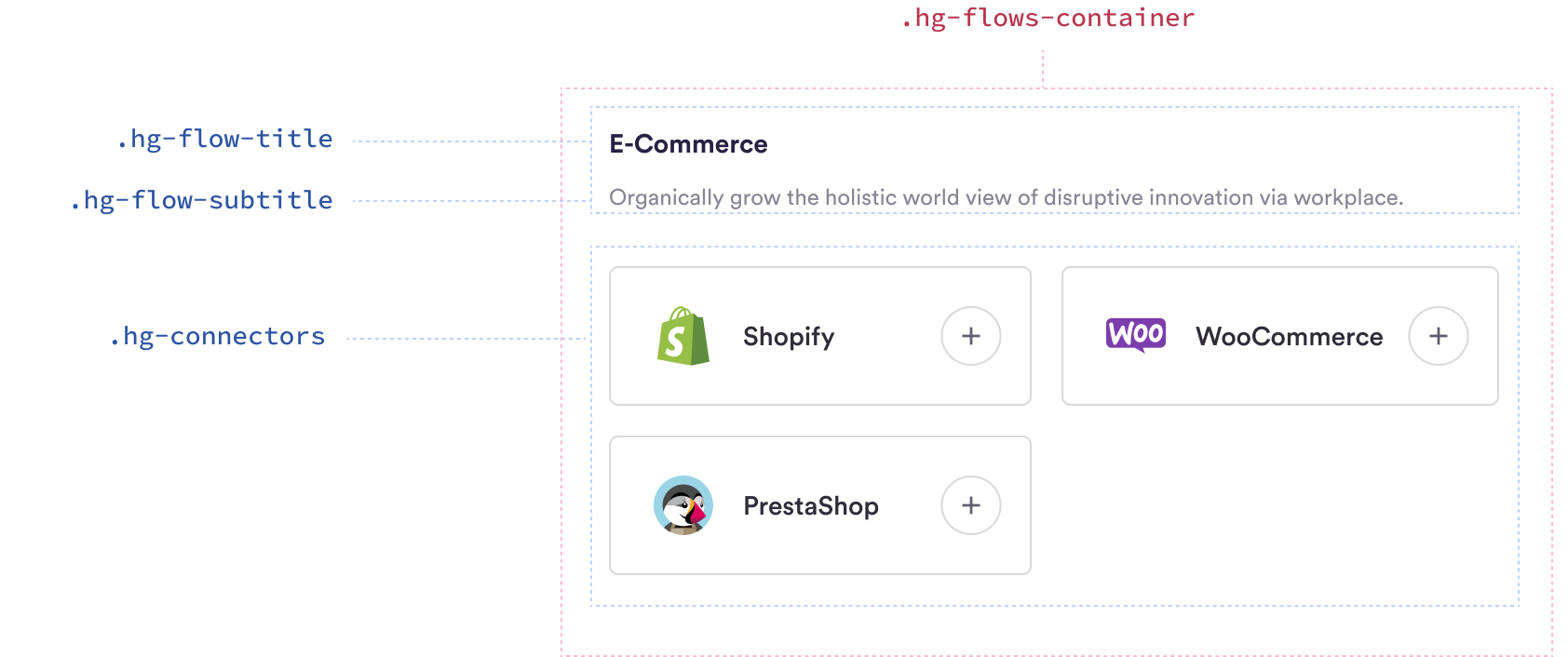
The classes are also defined in the table below:
| Class Name | Description |
| -------------------- | ------------------------------------------------ |
| `hg-flows-container` | Container of the entire flow section |
| `hg-flow-title` | Title of the flow |
| `hg-flow-subtitle` | Subtitle of the flow (description) |
| `hg-connectors` | Container for the connectors section of the flow |
##
Connector Card
Each connector (both sources and targets) are rendered as a card within the Flow Container. The classes are shown in the graphic below:

The classes are also defined in the table below:
| Class Name | Description |
| -------------------------- | --------------------------------------- |
| `hg-connector-card` | Card containing the connector |
| `hg-connector-card-linked` | Connector card for a linked integration |
| `hg-connector-name` | Connector name |
| `hg-connector-logo` | Connector logo |
| `hg-connector-settings` | Connector settings gear |
| `hg-connector-linked` | Connector linked label |
##
Example
[](https://docs.hotglue.com/docs/connections#example)
Included below is a stylesheet to give the `Connections` component a dark theme.
```css CSS theme={null}
.hg-flows-container {
background-color: #120c23;
color: #fff;
padding: 24px;
}
.hg-flows-container .hg-flow-title {
font-size: 16px;
color: #ddd;
}
.hg-flows-container .hg-flow-subtitle {
font-size: 14px;
font-weight: 300;
color: #aaa;
}
.hg-flows-container .hg-connector-card {
background: #2a233d;
border: none;
color: #fff;
}
.hg-connector-card:hover {
cursor: pointer;
box-shadow: 0px 4px 0px rgb(93 57 222 / 65%)
}
.hg-connector-card .hg-connector-name {
font-size: 14px;
}
.hg-connector-card .hg-connector-logo {
border-radius: 50%;
background-color: #fff;
}
.hg-connector-card .hg-connector-linked {
background: #FA5240;
}
.hg-connector-card .hg-connector-settings {
color: #fff;
border: 1px solid #777;
}
```
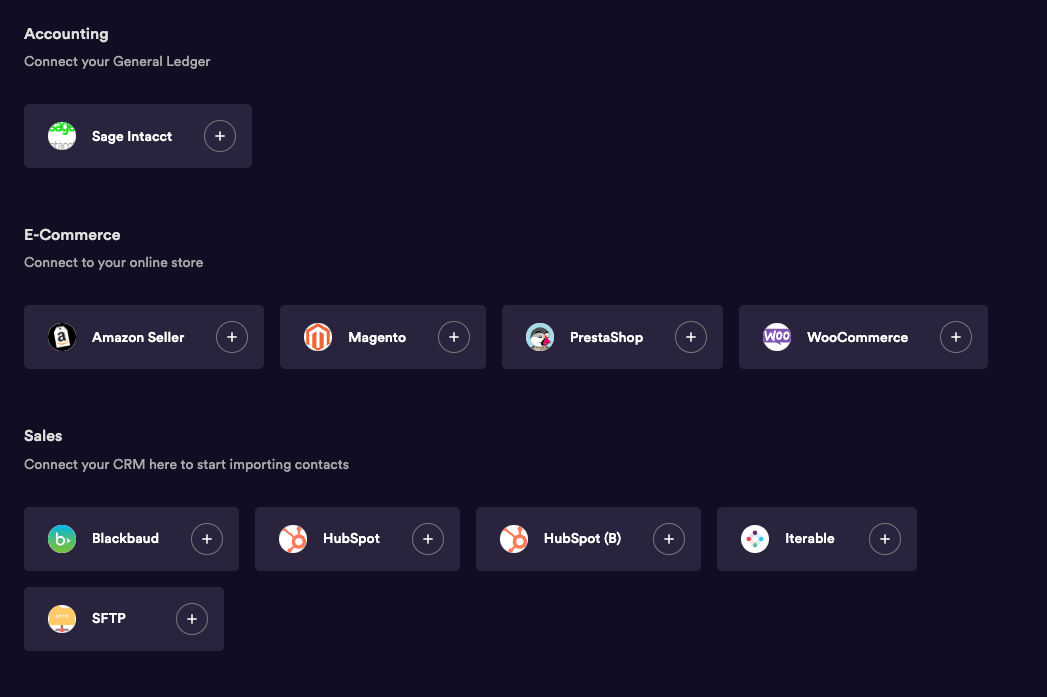
The result looks like below: