> ## Documentation Index
> Fetch the complete documentation index at: https://docs.hotglue.com/llms.txt
> Use this file to discover all available pages before exploring further.

# BigCommerce

# Connector Details

| Name           | Value                                                                                                                                                                                                                                                                                                             |
| :------------- | :---------------------------------------------------------------------------------------------------------------------------------------------------------------------------------------------------------------------------------------------------------------------------------------------------------------- |
| Platform       | [BigCommerce](https://bigcommerce.com)                                                                                                                                                                                                                                                                            |
| Auth Type      | API Keys                                                                                                                                                                                                                                                                                                          |
| Direction      | Bidirectional                                                                                                                                                                                                                                                                                                     |
| Tap Repo       | [https://gitlab.com/hotglue/tap-bigcommerce](https://gitlab.com/hotglue/tap-bigcommerce)                                                                                                                                                                                                                          |
| Target Repo    | [https://gitlab.com/hotglue/target-bigcommerce](https://gitlab.com/hotglue/target-bigcommerce)                                                                                                                                                                                                                    |
| Tap Metrics    | <p>Usage: <Tooltip tip="medium"><Icon icon="user" iconType="regular" color="#fff" size="14px" /><Icon icon="user" iconType="regular" color="#fff" size="14px" /><Icon icon="user" iconType="regular" color="#fff" size="14px" /><Icon icon="user" iconType="regular" color="#A9A9A9" size="14px" /></Tooltip></p> |
| Target Metrics | <p>Usage: <Tooltip tip="high"><Icon icon="user" iconType="regular" color="#fff" size="14px" /><Icon icon="user" iconType="regular" color="#fff" size="14px" /><Icon icon="user" iconType="regular" color="#fff" size="14px" /><Icon icon="user" iconType="regular" color="#fff" size="14px" /></Tooltip></p>      |
| Unified Schema | <Tooltip tip="Supported tables: SalesOrders">Supported in [Ecommerce Unified Schema](https://hotglue.com/docs/unified).</Tooltip>                                                                                                                                                                                 |

# Credentials Setup

Follow the steps below to get the credentials you need to use the BigCommerce connector.

# Obtain your Consumer Key pair

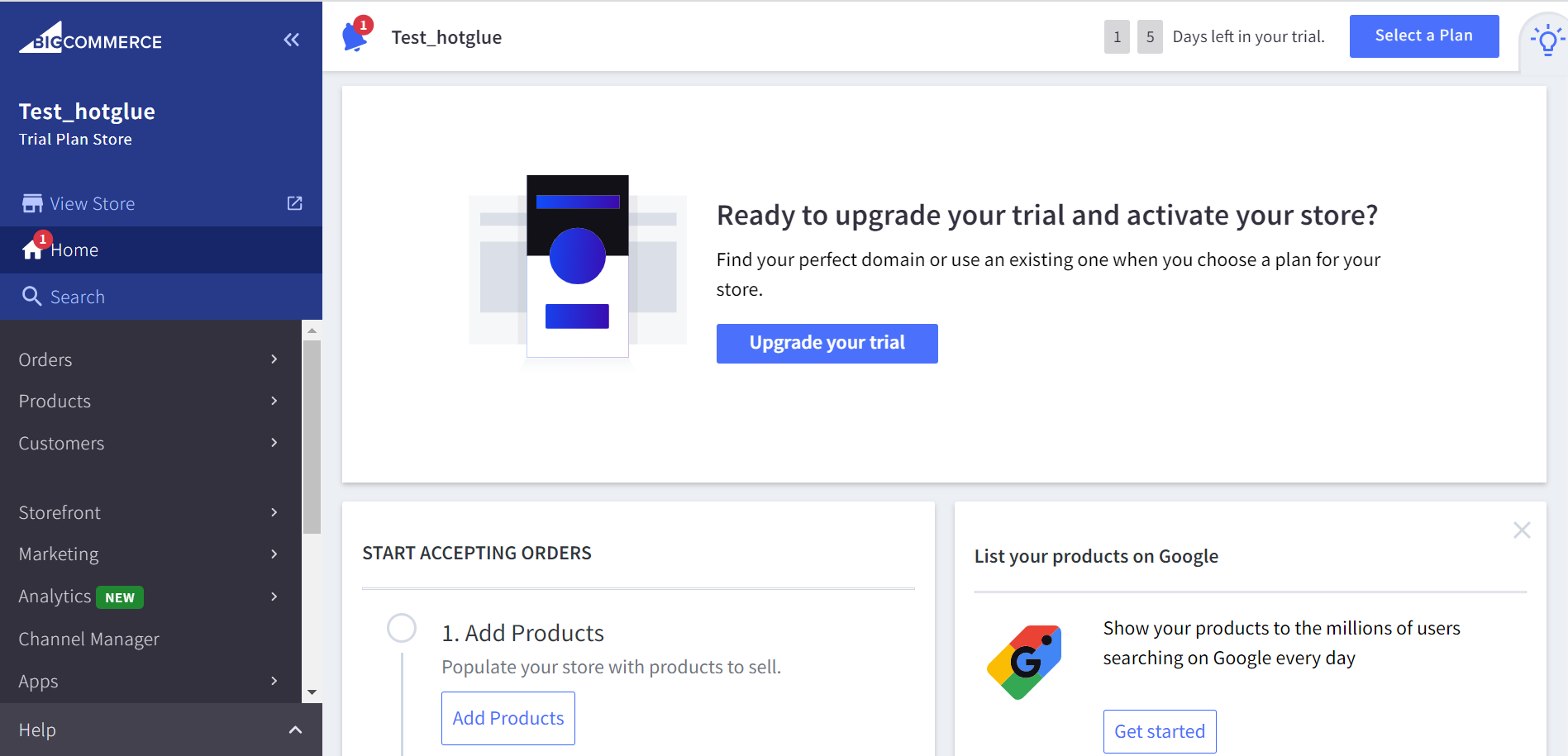
To get your key pair for BigCommerce, you are first going to need to log in to [BigCommerce](https://login.bigcommerce.com/login) and navigate to the home page.
![](https://files.readme.io/b505e1a-Home_page.png "Home_page.png")

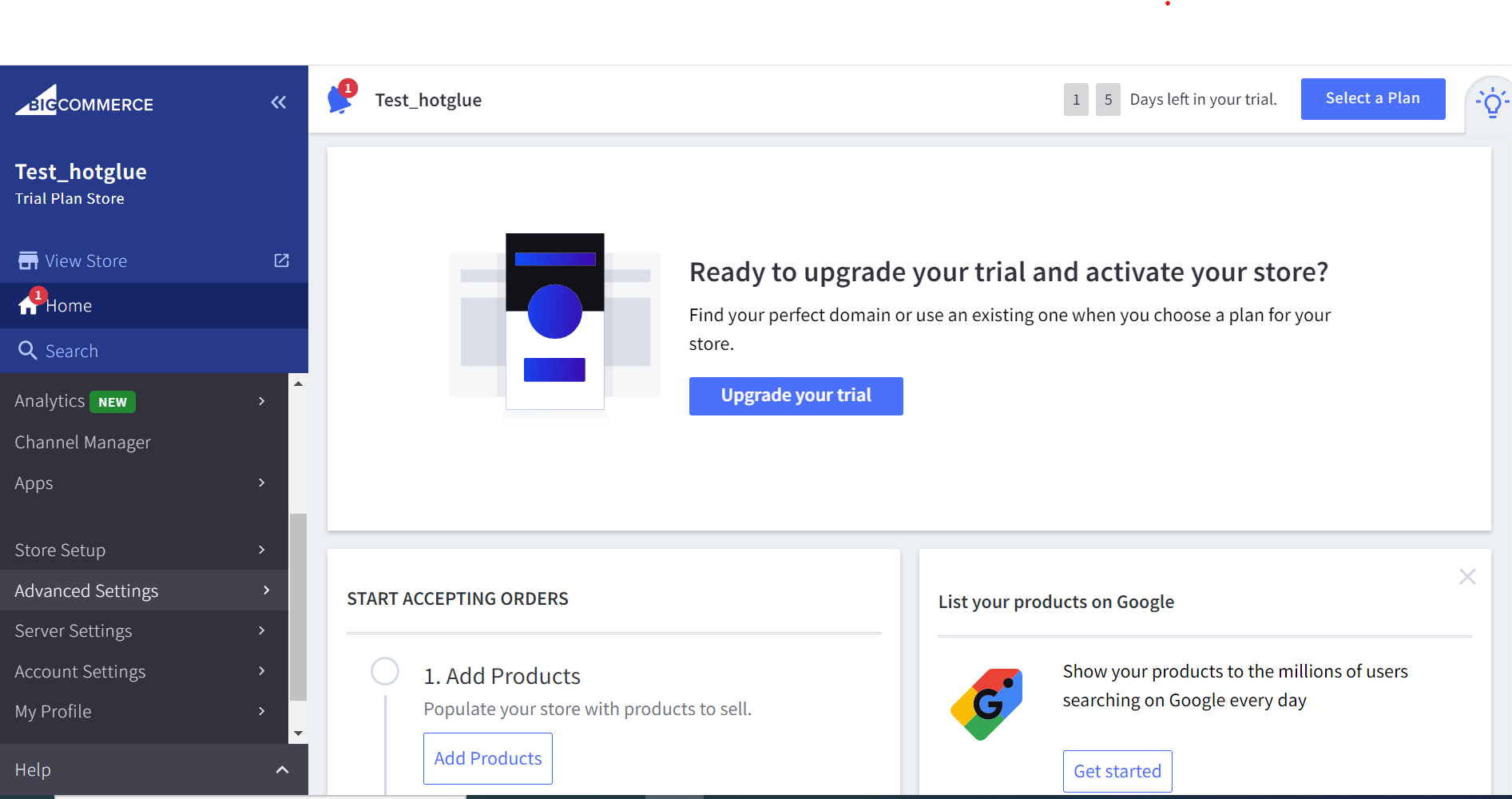
Navigate to Advanced Settings on the left-sided nav bar.
![](https://files.readme.io/9f42899-Advance_settings.png "Advance_settings.png")

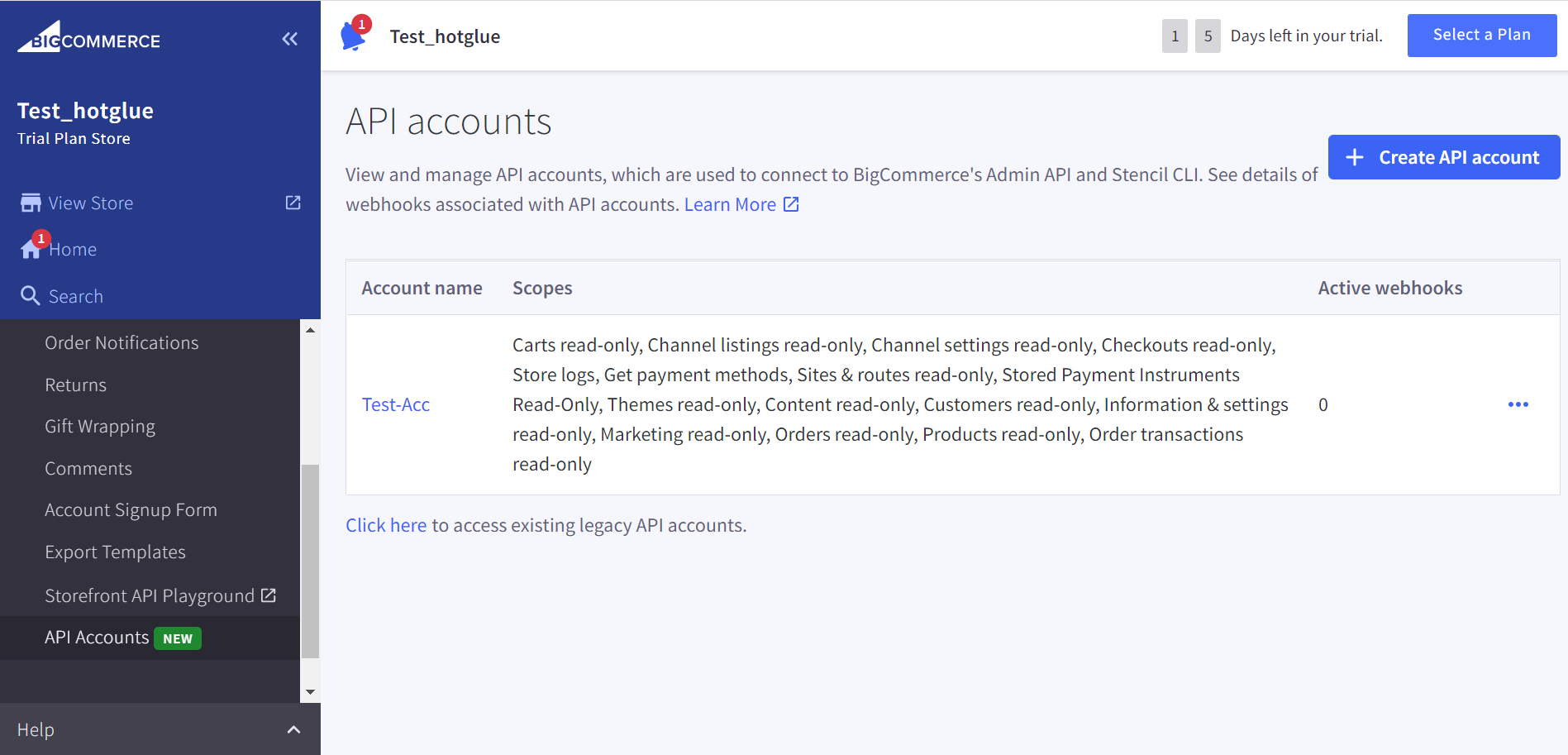
From the resulting drop down, select API Accounts.
![](https://files.readme.io/fa984e4-API_ACC_Create_API_ACC.png "API ACC_Create_API_ACC.png")

Click on Create API account in the top right hand corner.
![](https://files.readme.io/4a5aaf3-API_Accounts_Sett_save.png "API Accounts_Sett_save.png")

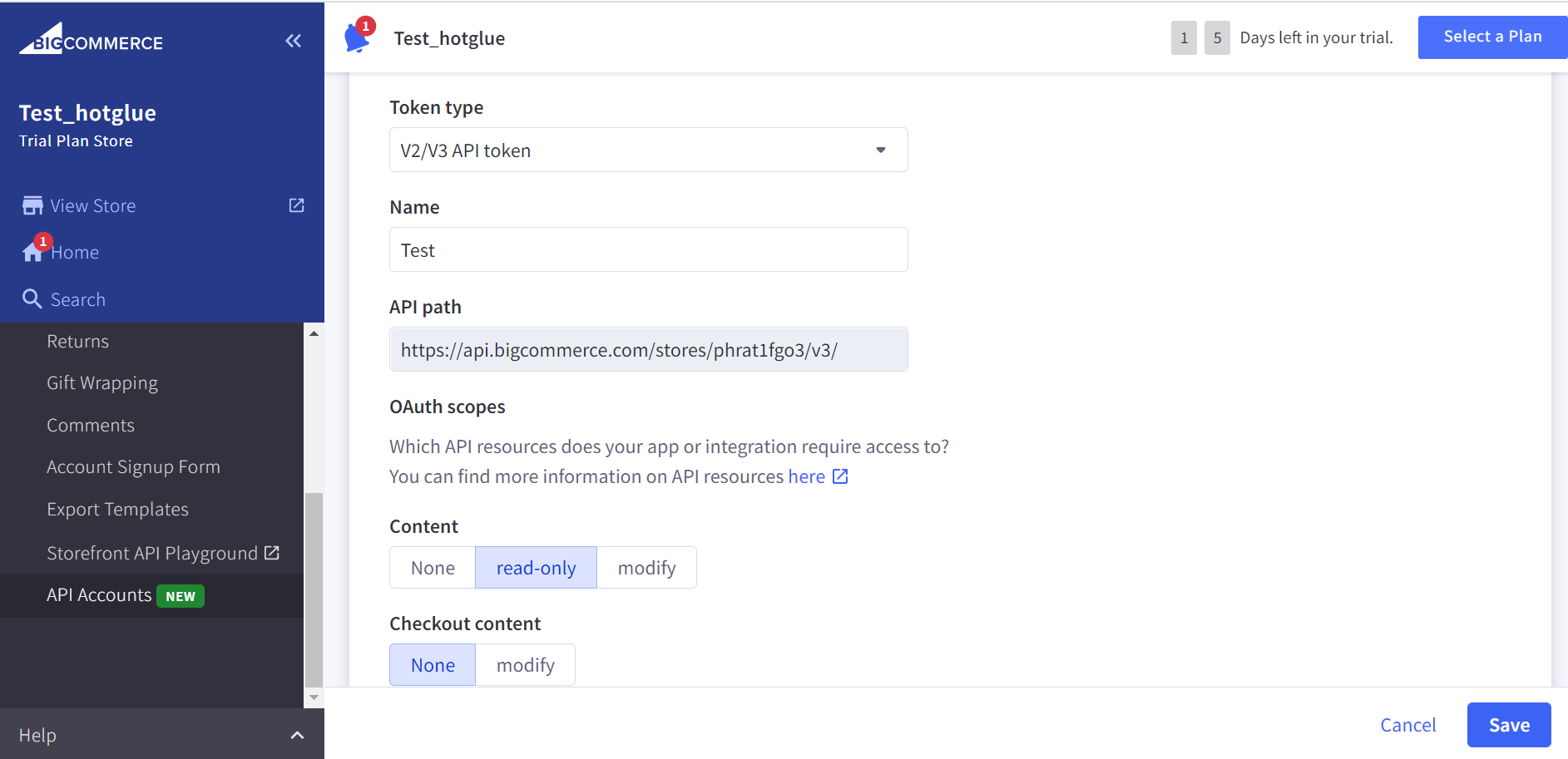
Input App name (should be your company name) and other fields. Once done, click the Save button.
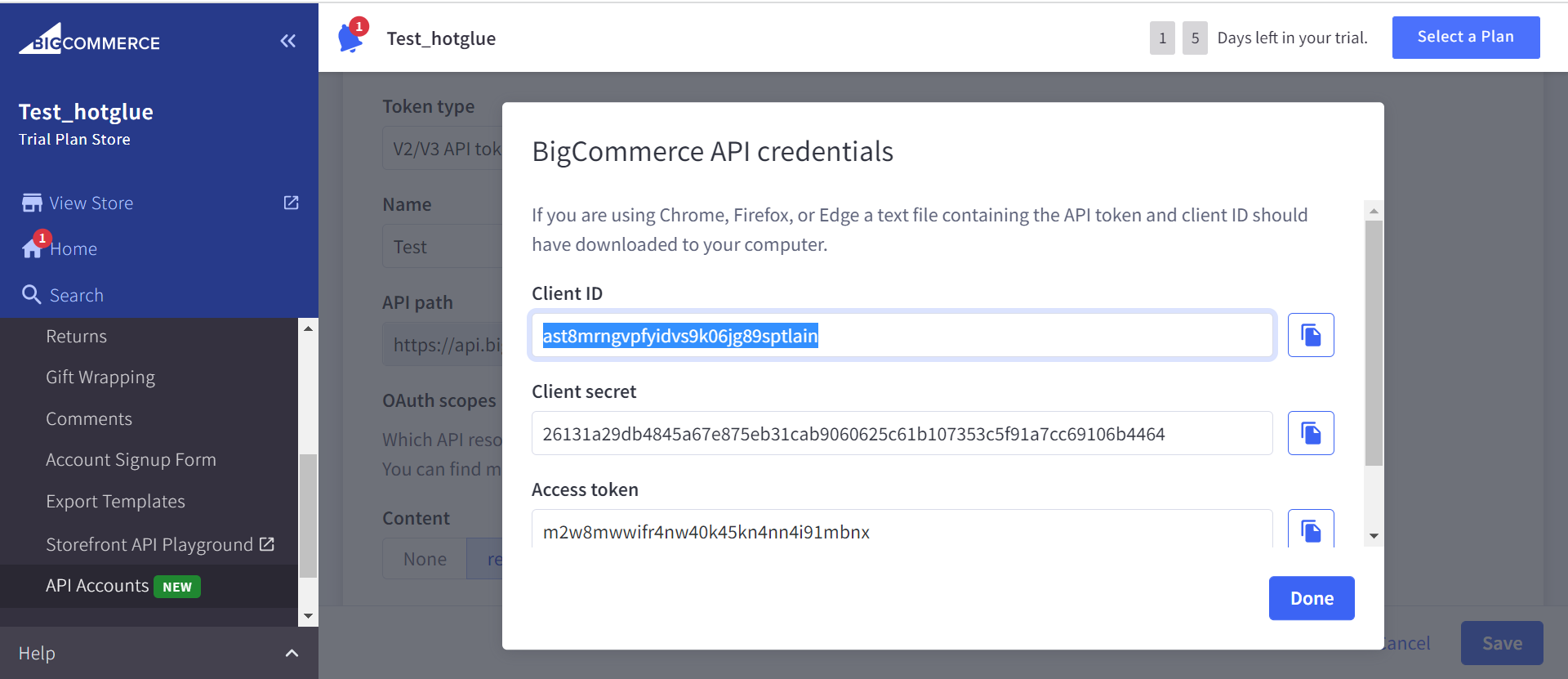
![](https://files.readme.io/ab378d5-API_Cred_Secrt_key.png "API_Cred_Secrt_key.png")

Copy the Client ID and Access token and Click on Done.
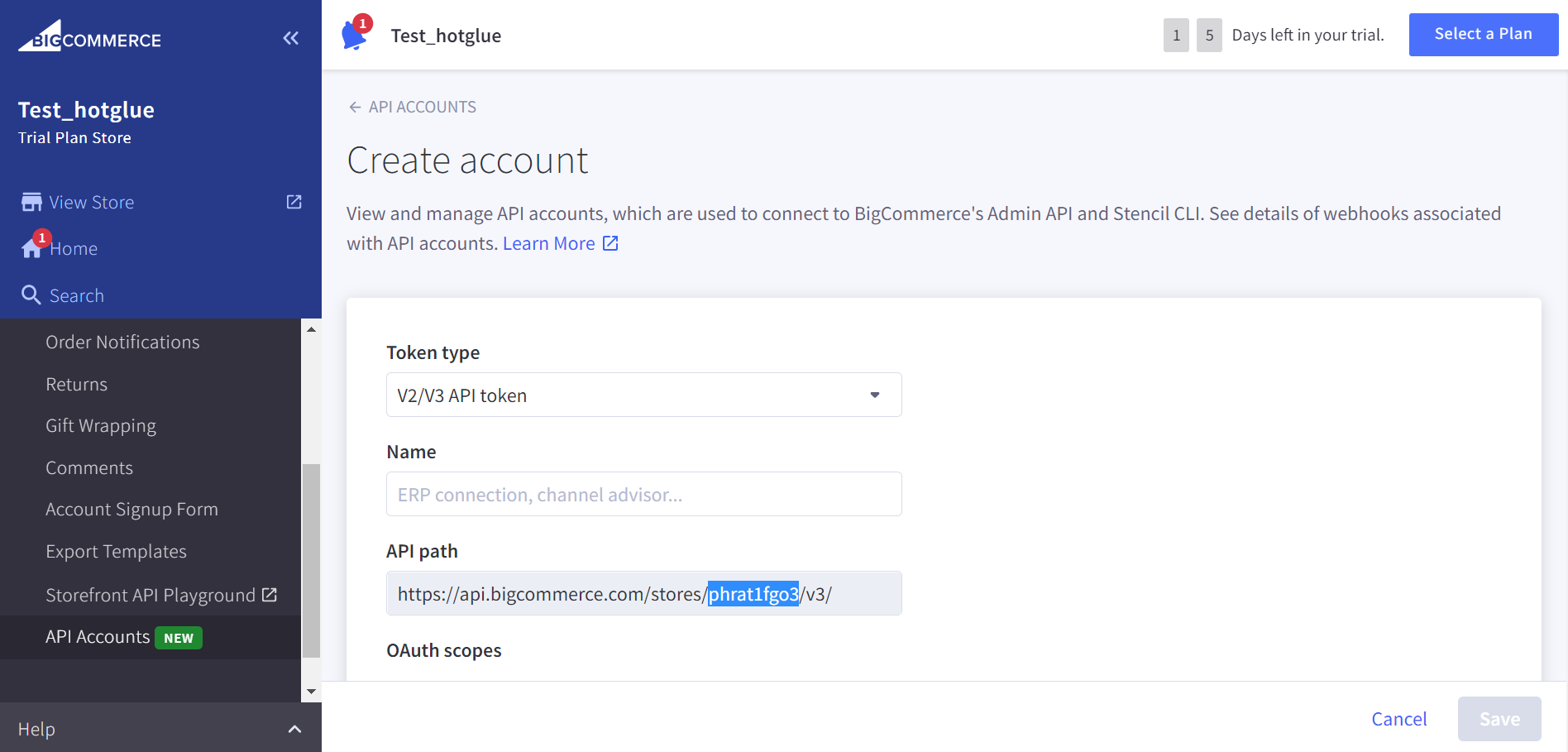
![](https://files.readme.io/642b01f-api_hash.png "api_hash.png")

Store hash has can be found on Home → API Accounts, as pictured above.

That's it! Now you have all the credentials needed for hotglue to connect to the BigCommerce API.
