Usage:
Usage:
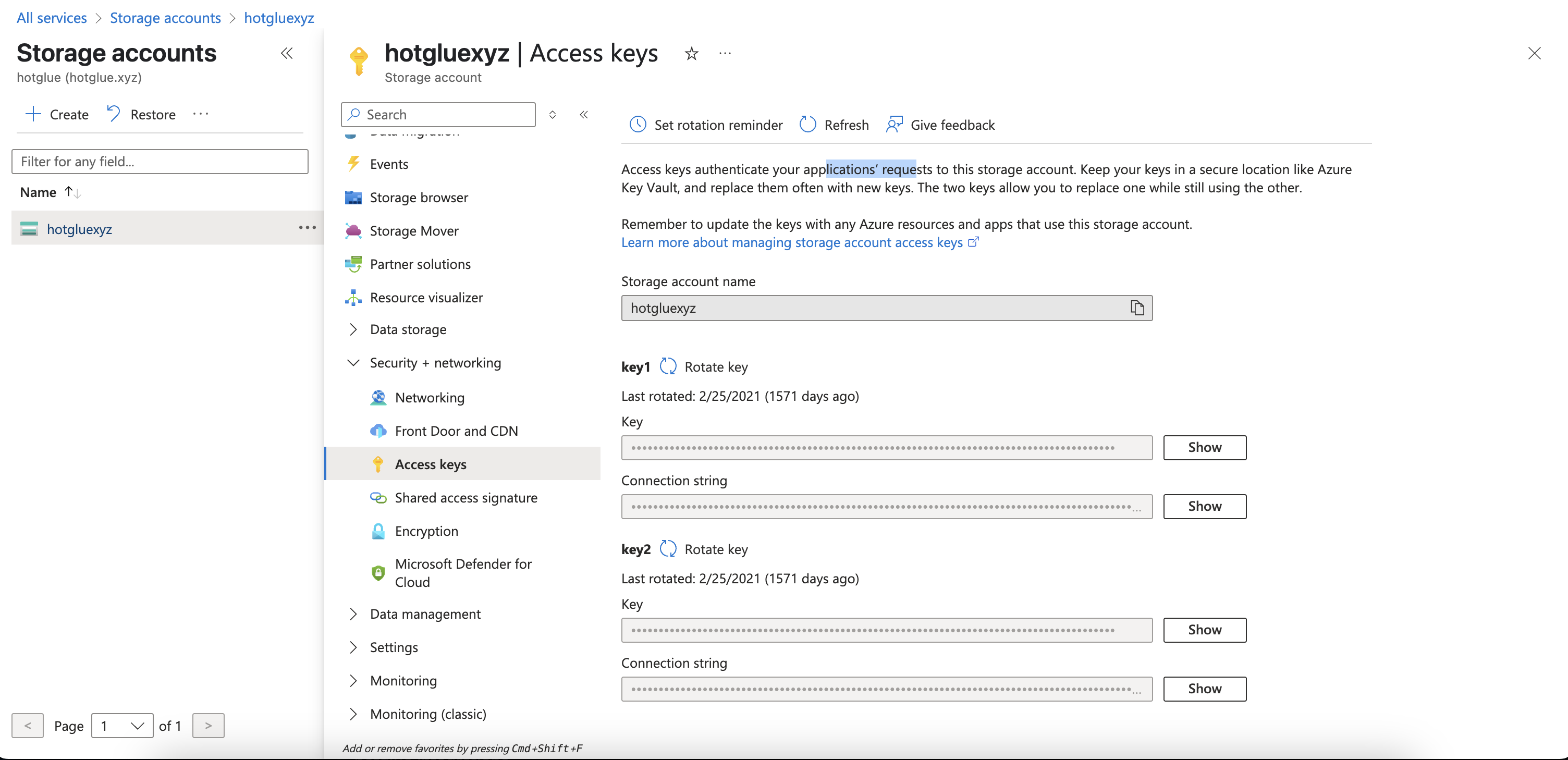
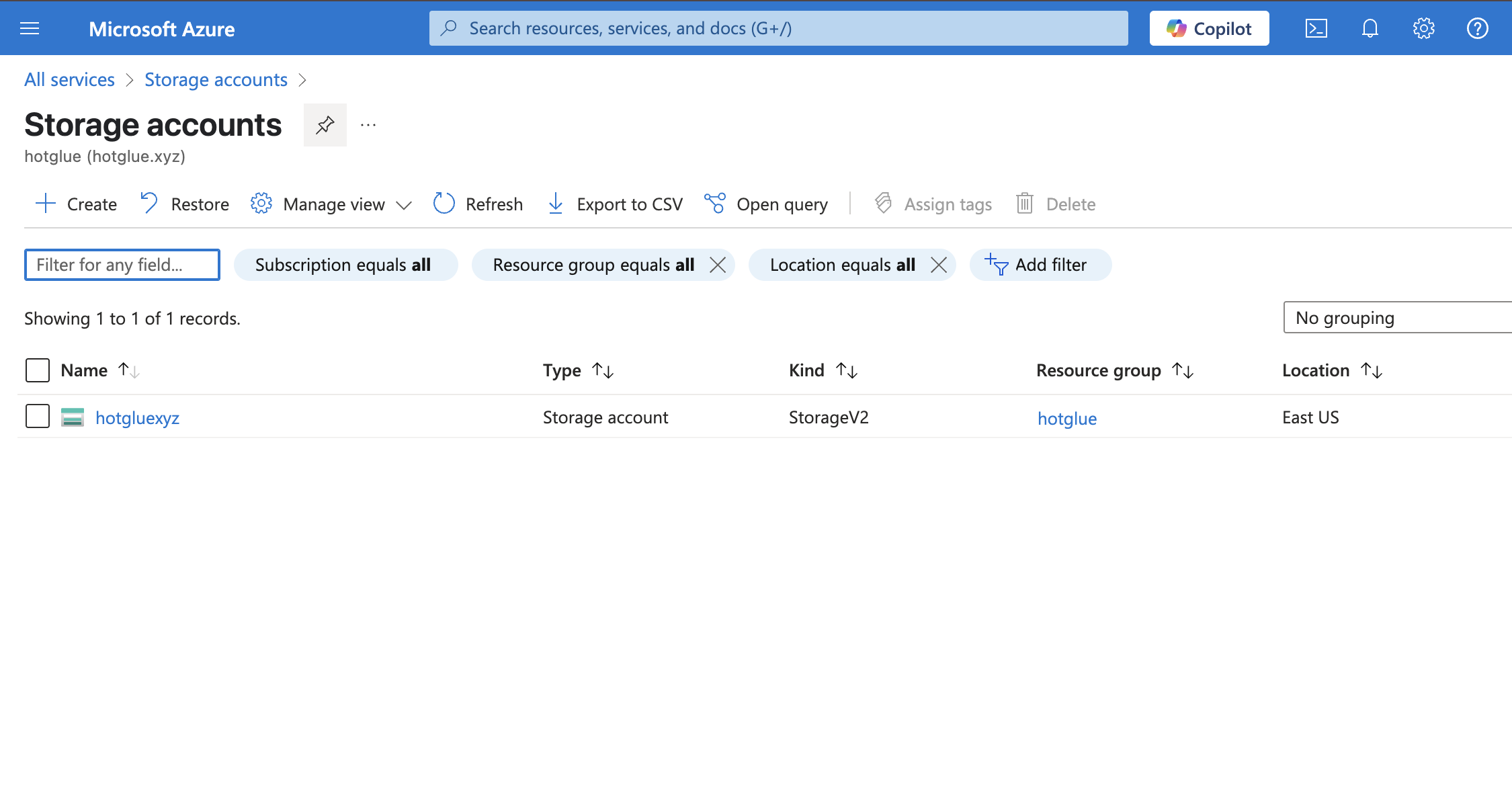 Next, select your Storage Account, and navigate to **Security + Networking > Access Keys** and copy one of your connection strings.
You'll then paste this connection string directly into the Hotglue dashboard or into a config object, depending on how you are linking your connector.
Next, select your Storage Account, and navigate to **Security + Networking > Access Keys** and copy one of your connection strings.
You'll then paste this connection string directly into the Hotglue dashboard or into a config object, depending on how you are linking your connector.
 # Target Blob Storage
## Config
In addition to the `connect_string` parameter, you should specify the following fields when connecting:
```json theme={null}
{
"connect_string": "...",
"container": "...", // Container name to write to
"path_prefix": "...", // Directory to insert files into
"overwrite": true // Whether to overwrite files (defaults False)
}
```
## Example ETL Script
```python theme={null}
import gluestick as gs
import os
import time
# Define standard Hotglue directories
ROOT_DIR = os.environ.get("ROOT_DIR", ".")
INPUT_DIR = f"{ROOT_DIR}/sync-output"
OUTPUT_DIR = f"{ROOT_DIR}/etl-output"
# Read sync output
input = gs.Reader()
# Get tenant id
tenant_id = os.environ.get('USER_ID', os.environ.get('TENANT', 'default'))
# Possible values parquet, singer, csv, json, jsonl
EXPORT_FORMAT = "parquet"
# Iterate through the different streams in the sync output
for key in eval(str(input)):
input_df = input.get(key)
# Include tenant_id as a field if desired
input_df["tenant"] = tenant_id
# Create a unique file name
timestamp = int(time.time()) # Unix Time stamp
file_name = f"{tenant_id}_{key}_{timestamp}"
# Write tenantid_streamname_timestamp.parquet
gs.to_export(input_df, file_name, OUTPUT_DIR, export_format=EXPORT_FORMAT)
```
# Target Changelog
# Target Blob Storage
## Config
In addition to the `connect_string` parameter, you should specify the following fields when connecting:
```json theme={null}
{
"connect_string": "...",
"container": "...", // Container name to write to
"path_prefix": "...", // Directory to insert files into
"overwrite": true // Whether to overwrite files (defaults False)
}
```
## Example ETL Script
```python theme={null}
import gluestick as gs
import os
import time
# Define standard Hotglue directories
ROOT_DIR = os.environ.get("ROOT_DIR", ".")
INPUT_DIR = f"{ROOT_DIR}/sync-output"
OUTPUT_DIR = f"{ROOT_DIR}/etl-output"
# Read sync output
input = gs.Reader()
# Get tenant id
tenant_id = os.environ.get('USER_ID', os.environ.get('TENANT', 'default'))
# Possible values parquet, singer, csv, json, jsonl
EXPORT_FORMAT = "parquet"
# Iterate through the different streams in the sync output
for key in eval(str(input)):
input_df = input.get(key)
# Include tenant_id as a field if desired
input_df["tenant"] = tenant_id
# Create a unique file name
timestamp = int(time.time()) # Unix Time stamp
file_name = f"{tenant_id}_{key}_{timestamp}"
# Write tenantid_streamname_timestamp.parquet
gs.to_export(input_df, file_name, OUTPUT_DIR, export_format=EXPORT_FORMAT)
```
# Target Changelog