> ## Documentation Index
> Fetch the complete documentation index at: https://docs.hotglue.com/llms.txt
> Use this file to discover all available pages before exploring further.

# Pipedrive

# Connector Details

| Name           | Value                                                                                                                                                                                                                                                                                                             |
| :------------- | :---------------------------------------------------------------------------------------------------------------------------------------------------------------------------------------------------------------------------------------------------------------------------------------------------------------- |
| Platform       | [Pipedrive](https://pipedrive.com)                                                                                                                                                                                                                                                                                |
| Auth Type      | OAuth                                                                                                                                                                                                                                                                                                             |
| Direction      | Bidirectional                                                                                                                                                                                                                                                                                                     |
| Triggers       | <Tooltip tip="3 triggers available by default">Supported</Tooltip>                                                                                                                                                                                                                                                |
| Tap Repo       | [https://github.com/hotgluexyz/tap-pipedrive](https://github.com/hotgluexyz/tap-pipedrive)                                                                                                                                                                                                                        |
| Target Repo    | [https://gitlab.com/hotglue/target-pipedrive](https://gitlab.com/hotglue/target-pipedrive)                                                                                                                                                                                                                        |
| Tap Metrics    | <p>Usage: <Tooltip tip="medium"><Icon icon="user" iconType="regular" color="#fff" size="14px" /><Icon icon="user" iconType="regular" color="#fff" size="14px" /><Icon icon="user" iconType="regular" color="#fff" size="14px" /><Icon icon="user" iconType="regular" color="#A9A9A9" size="14px" /></Tooltip></p> |
| Target Metrics | <p>Usage: <Tooltip tip="low"><Icon icon="user" iconType="regular" color="#fff" size="14px" /><Icon icon="user" iconType="regular" color="#fff" size="14px" /><Icon icon="user" iconType="regular" color="#A9A9A9" size="14px" /><Icon icon="user" iconType="regular" color="#A9A9A9" size="14px" /></Tooltip></p> |
| Unified Schema | <Tooltip tip="Supported tables: Contacts, Deals, Companies, Activities, Users, Pipelines, Stages, Notes, Products">Supported in [Sales Unified Schema](https://hotglue.com/docs/unified).</Tooltip>                                                                                                               |

# Credentials Setup

Follow the steps below to get the credentials you need to use the Pipedrive connector.

All you need to begin integrating with Pipedrive is an OAuth app and a sandbox account. Both are free through [Pipedrive's developer program](https://developers.pipedrive.com/). You are also welcome to use hotglue's OAuth app to test.

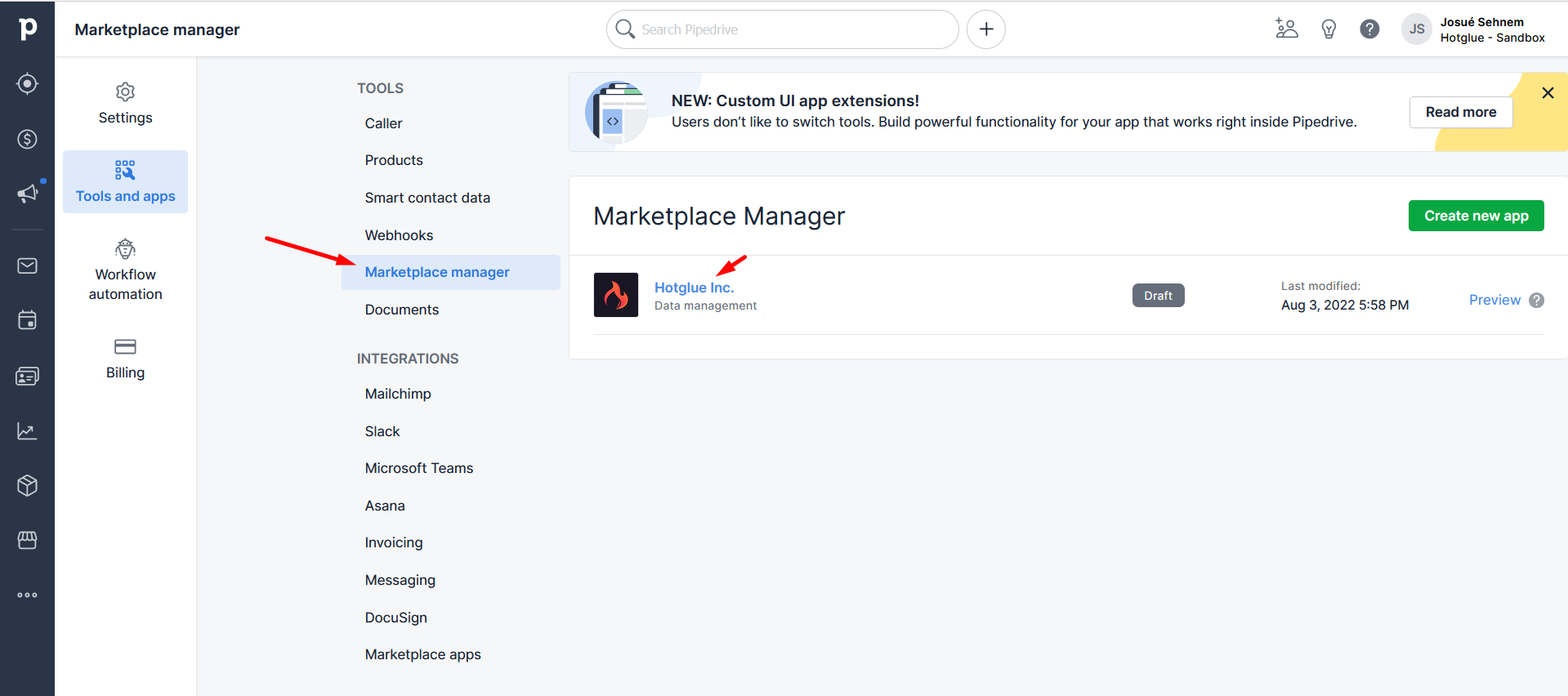
Once you have an account, head over to Pipedrive's [developer hub](https://app.pipedrive.com/developer-hub) to create an OAuth app.
![](https://files.readme.io/e62d461-pipe-05.png "pipe-05.png")

1. Click "Create new app". You can use a private app to test, but you will eventually need to create a public app for your customers.
2. Name your app with your business name, and set your callback URL as `https://hotglue.xyz/callback`
3. Set your scopes. This will vary depending on the data you expect to utilize, but **See Recent Account Activity** will always be needed. Let us know if you need help figuring out what these need to be.
4. Click save. Below the scopes you will find your Client ID and secret. Paste these into hotglue.

# Tap Changelog

<Accordion title="Tap Changelog">
  | Version                                                                   | Notes                             |
  | :------------------------------------------------------------------------ | :-------------------------------- |
  | [v1.1.6](https://github.com/hotgluexyz/tap-pipedrive/releases/tag/v1.1.6) |                                   |
  | [v1.1.5](https://github.com/hotgluexyz/tap-pipedrive/releases/tag/v1.1.5) |                                   |
  | [v1.1.4](https://github.com/hotgluexyz/tap-pipedrive/releases/tag/v1.1.4) | clean up custom fields in catalog |
  | [v1.1.3](https://github.com/hotgluexyz/tap-pipedrive/releases/tag/v1.1.3) | Bug fixes                         |
  | [v1.1.2](https://github.com/hotgluexyz/tap-pipedrive/releases/tag/v1.1.2) |                                   |
  | [v1.1.1](https://github.com/hotgluexyz/tap-pipedrive/releases/tag/v1.1.1) |                                   |
</Accordion>
