> ## Documentation Index
> Fetch the complete documentation index at: https://docs.hotglue.com/llms.txt
> Use this file to discover all available pages before exploring further.

# Wix

# Connector Details

| Name           | Value                                                                                                                                                                                                                                                                                                             |
| :------------- | :---------------------------------------------------------------------------------------------------------------------------------------------------------------------------------------------------------------------------------------------------------------------------------------------------------------- |
| Platform       | [Wix](https://wix.com)                                                                                                                                                                                                                                                                                            |
| Auth Type      | OAuth                                                                                                                                                                                                                                                                                                             |
| Direction      | Bidirectional                                                                                                                                                                                                                                                                                                     |
| Tap Repo       | [https://gitlab.com/hotglue/tap-wix](https://gitlab.com/hotglue/tap-wix)                                                                                                                                                                                                                                          |
| Target Repo    | [https://gitlab.com/hotglue/target-wix](https://gitlab.com/hotglue/target-wix)                                                                                                                                                                                                                                    |
| Tap Metrics    | <p>Usage: <Tooltip tip="low"><Icon icon="user" iconType="regular" color="#fff" size="14px" /><Icon icon="user" iconType="regular" color="#fff" size="14px" /><Icon icon="user" iconType="regular" color="#A9A9A9" size="14px" /><Icon icon="user" iconType="regular" color="#A9A9A9" size="14px" /></Tooltip></p> |
| Target Metrics | <p>Usage: <Tooltip tip="low"><Icon icon="user" iconType="regular" color="#fff" size="14px" /><Icon icon="user" iconType="regular" color="#fff" size="14px" /><Icon icon="user" iconType="regular" color="#A9A9A9" size="14px" /><Icon icon="user" iconType="regular" color="#A9A9A9" size="14px" /></Tooltip></p> |
| Unified Schema | <Tooltip tip="Supported tables: SalesOrders">Supported in [Ecommerce Unified Schema](https://hotglue.com/docs/unified).</Tooltip>                                                                                                                                                                                 |

# Credentials Setup

Follow the steps below to get the credentials you need to use the Wix connector.

Login to Wix from the [link](https://users.wix.com/signin). Enter you credentials on Login page.
![](https://files.readme.io/012fe76-image.png)

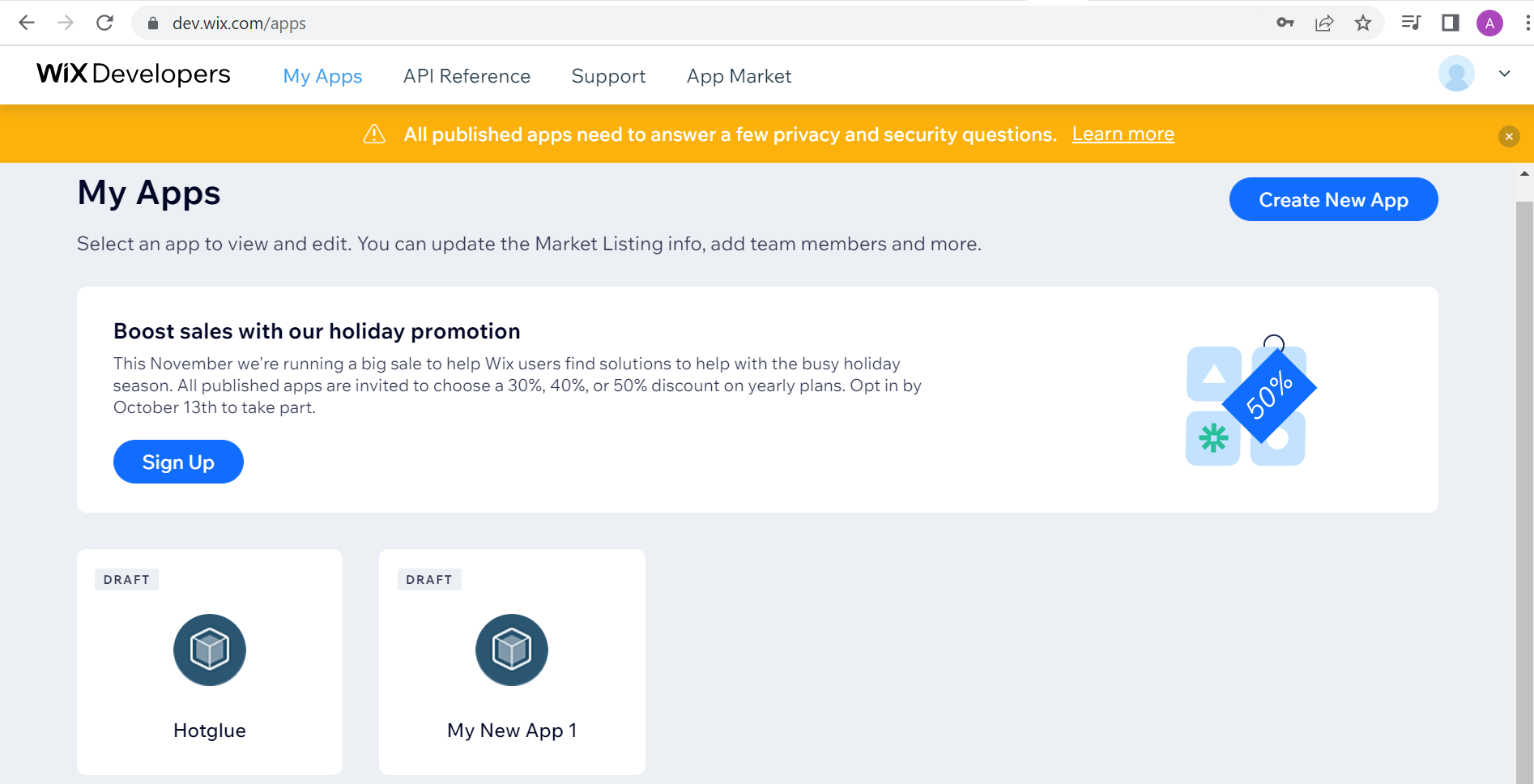
You will land on Apps page. You can Create New App from this page.
![](https://files.readme.io/94ef4be-image.png)

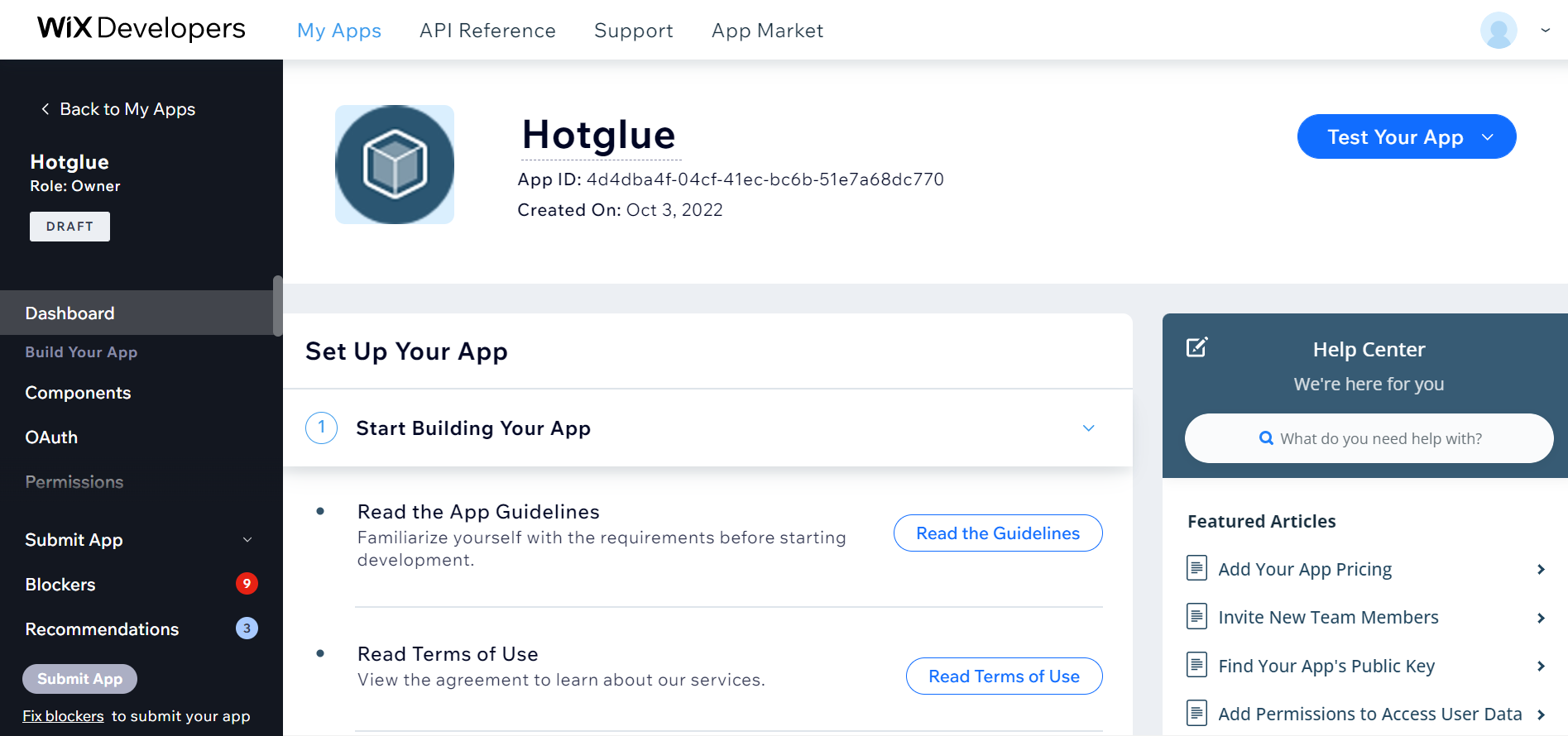
You will land on Dashboard page. You can change the name of your App.  On this page you can find the documentation to set Up your App.
![](https://files.readme.io/4fdb579-image.png)

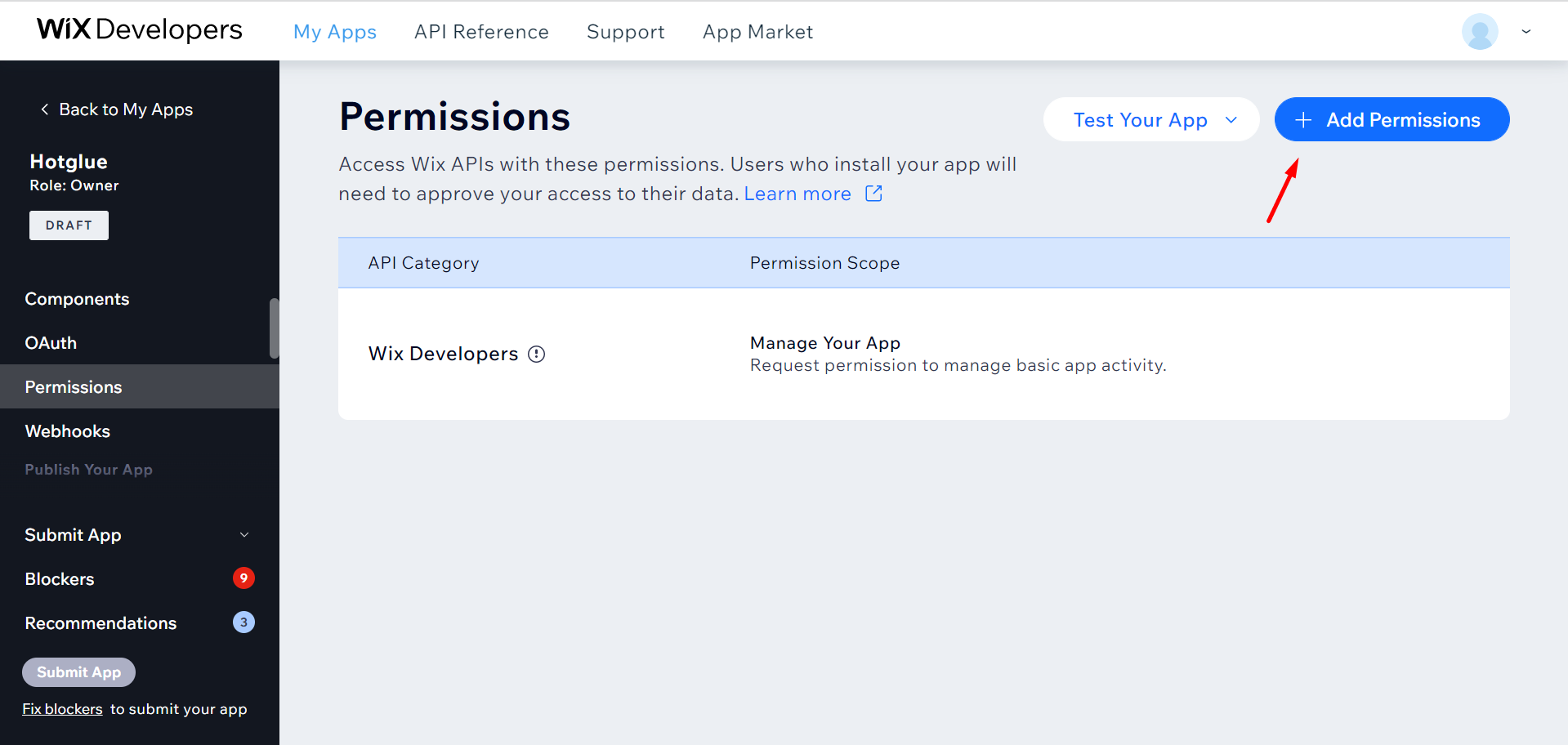
From left navigation pane navigate to **Permissions**. You can Click on "**Add Permission**" button to add permission as per your requirements.
![](https://files.readme.io/3f14a38-image.png)

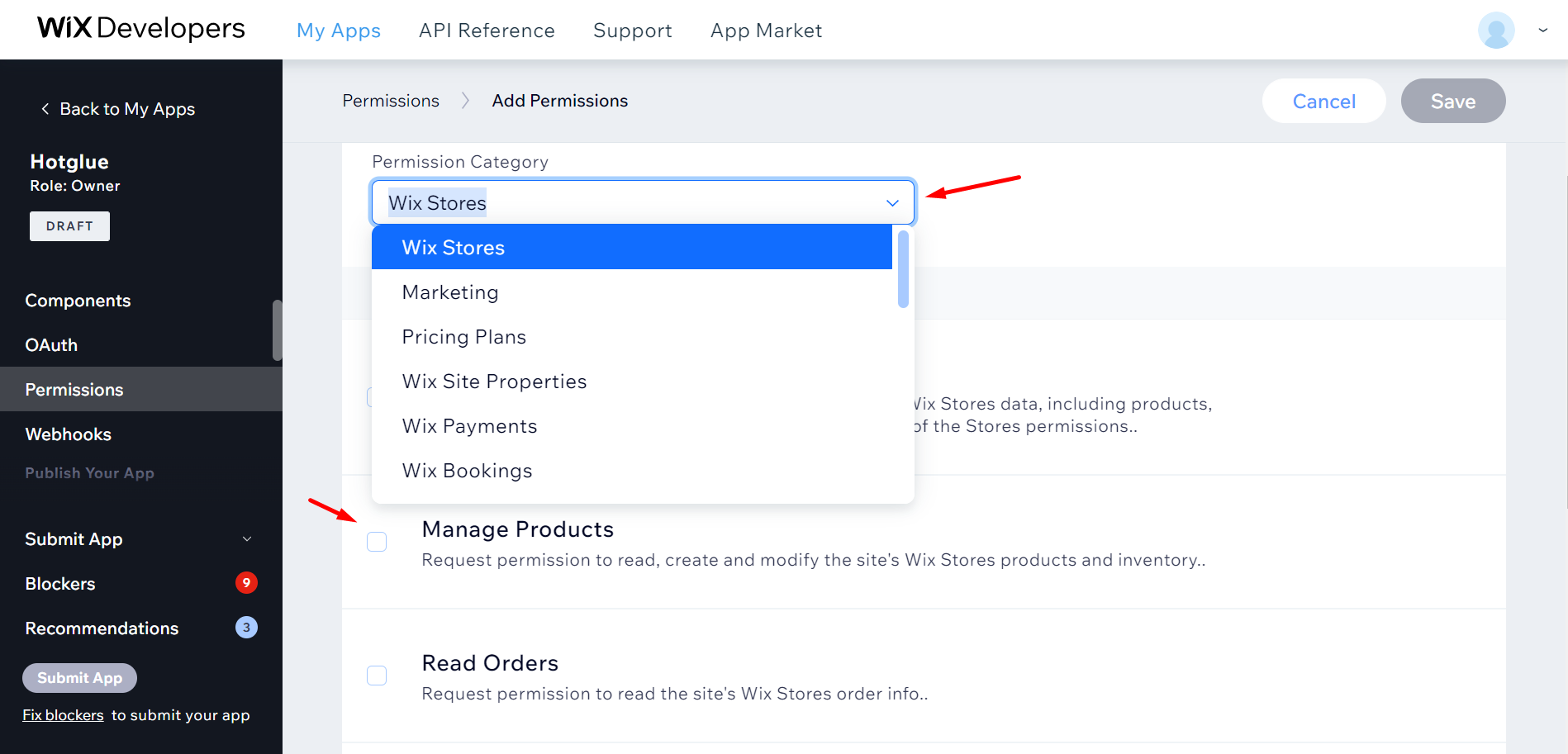
Select the Permission Category and add the permission and save the settings from top right corner.
![](https://files.readme.io/1e01bd2-image.png)

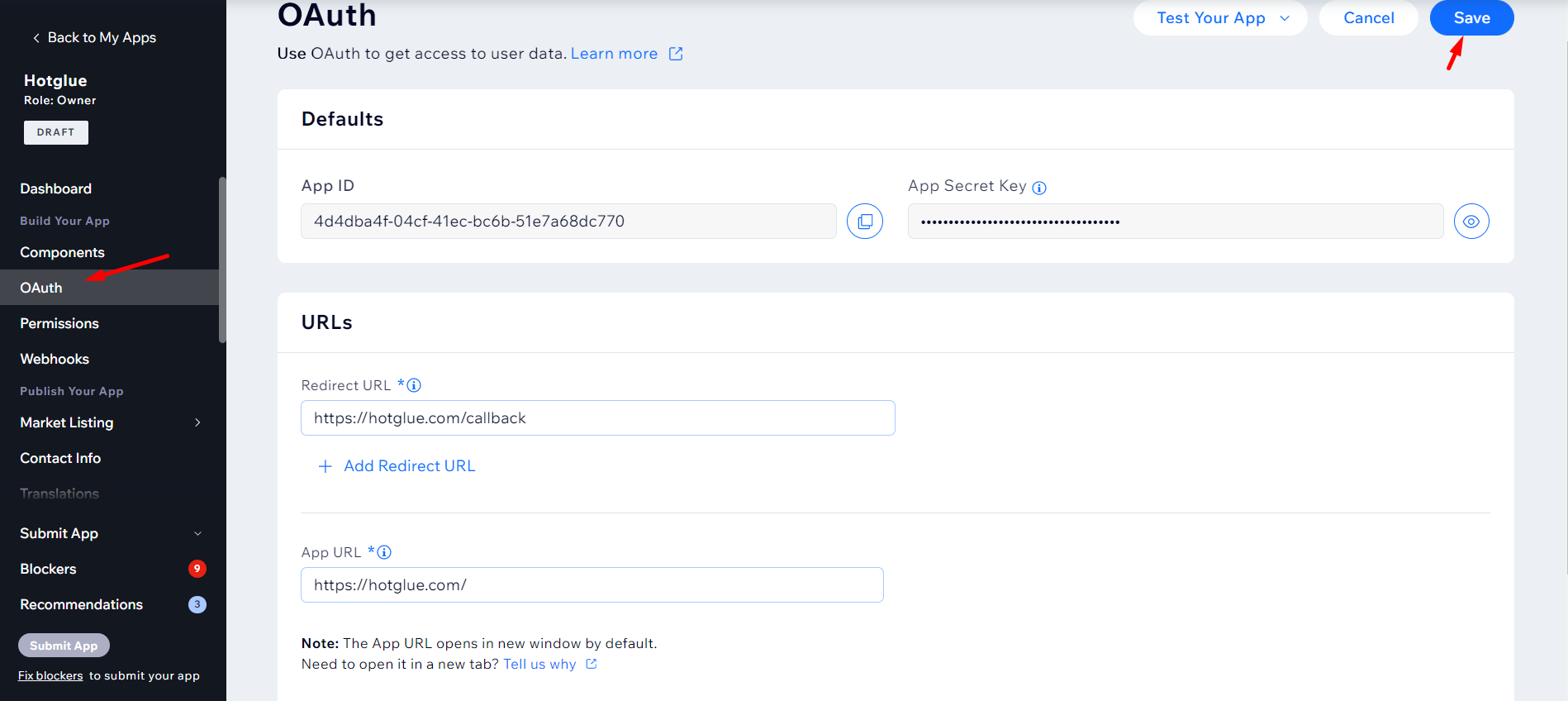
Navigate to OAuth from left navigation pane. Add Redirect URL and App URL. You can get App ID and Secret key from this page. Save the settings from **Save** button on top right corner.
![](https://files.readme.io/c70bc5d-image.png)

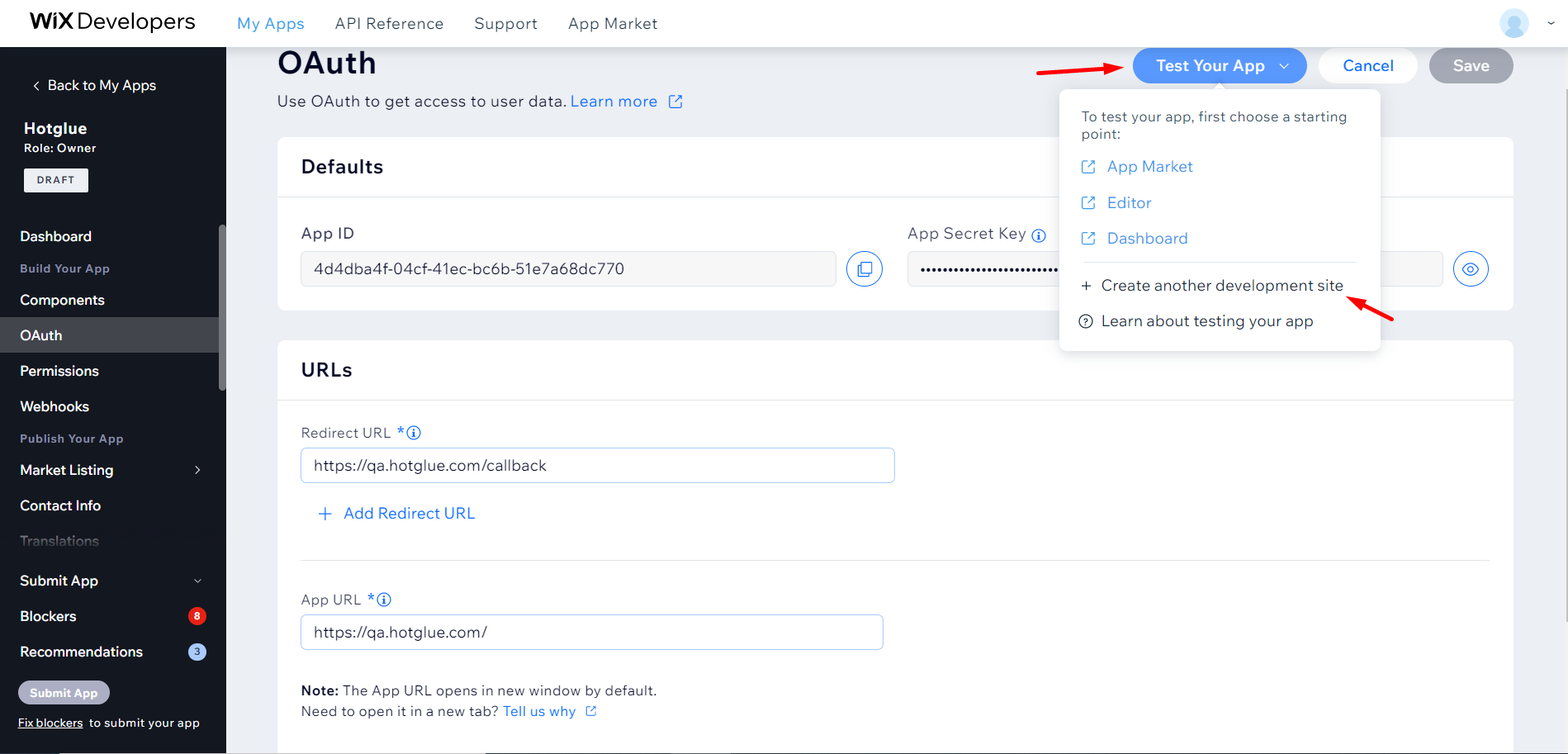
Now Click on "Test Your App" option. From drop down Click on "**Create another development Site**" option.
![](https://files.readme.io/5653b5d-image.png)

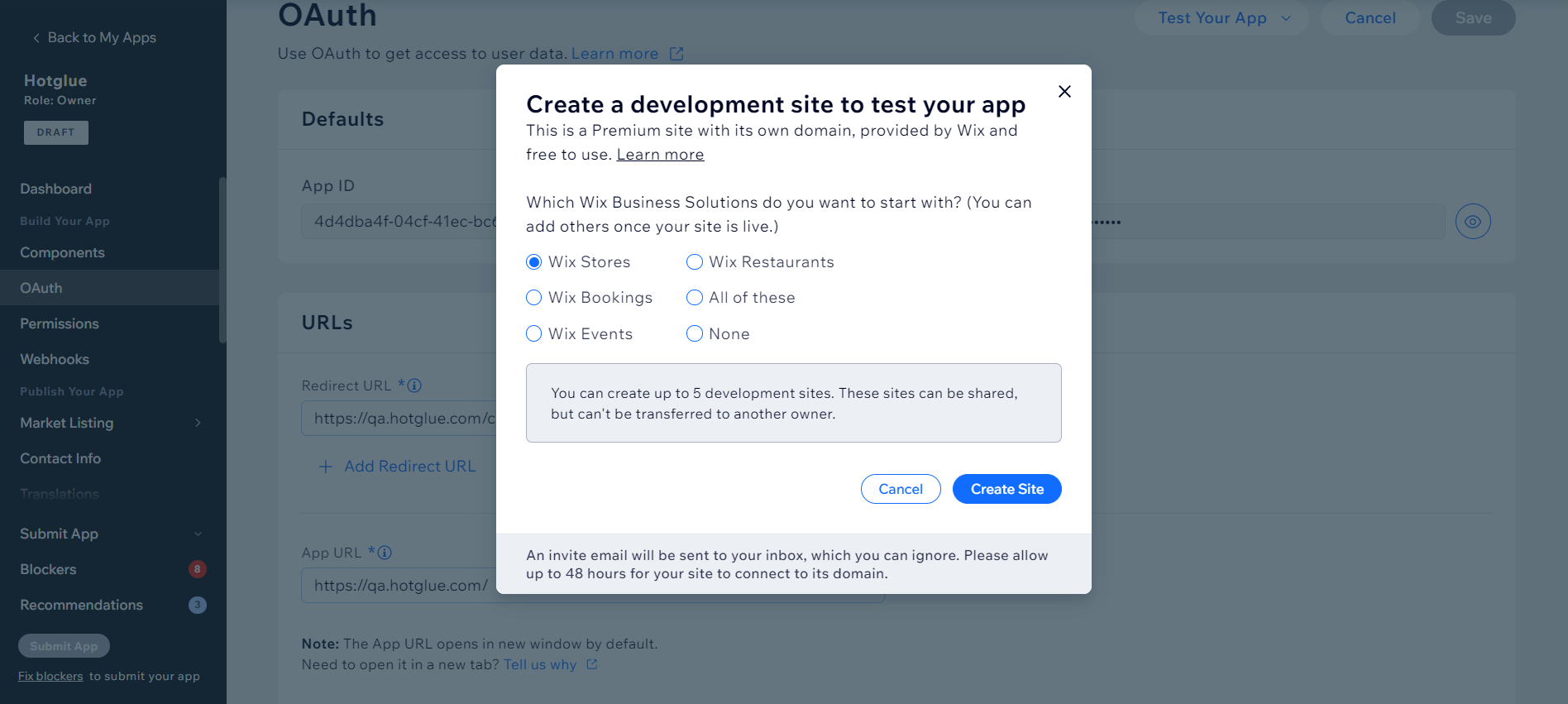
A pop-up will appear where you can select the site for your App. Click on **Save Site** after making the store selection.

Now you can insert OAuth credentials into your hotglue Wix source settings and Connect to Wix.
