> ## Documentation Index
> Fetch the complete documentation index at: https://docs.hotglue.com/llms.txt
> Use this file to discover all available pages before exploring further.

# Zoho Books

# Connector Details

| Name           | Value                                                                                                                                                                                                                                                                                                             |
| :------------- | :---------------------------------------------------------------------------------------------------------------------------------------------------------------------------------------------------------------------------------------------------------------------------------------------------------------- |
| Platform       | [Zoho Books](https://zoho.com)                                                                                                                                                                                                                                                                                    |
| Auth Type      | OAuth                                                                                                                                                                                                                                                                                                             |
| Direction      | Bidirectional                                                                                                                                                                                                                                                                                                     |
| Tap Repo       | [https://gitlab.com/hotglue/tap-zohobooks](https://gitlab.com/hotglue/tap-zohobooks)                                                                                                                                                                                                                              |
| Target Repo    | [https://gitlab.com/hotglue/target-zohobooks](https://gitlab.com/hotglue/target-zohobooks)                                                                                                                                                                                                                        |
| Tap Metrics    | <p>Usage: <Tooltip tip="medium"><Icon icon="user" iconType="regular" color="#fff" size="14px" /><Icon icon="user" iconType="regular" color="#fff" size="14px" /><Icon icon="user" iconType="regular" color="#fff" size="14px" /><Icon icon="user" iconType="regular" color="#A9A9A9" size="14px" /></Tooltip></p> |
| Target Metrics | <p>Usage: <Tooltip tip="medium"><Icon icon="user" iconType="regular" color="#fff" size="14px" /><Icon icon="user" iconType="regular" color="#fff" size="14px" /><Icon icon="user" iconType="regular" color="#fff" size="14px" /><Icon icon="user" iconType="regular" color="#A9A9A9" size="14px" /></Tooltip></p> |

# Credentials Setup

<Steps>
  <Step>
    #### Step 1: Go to the Zoho API Console

    Go to the [Zoho API Console https://api-console.zoho.com](https://api-console.zoho.com).
  </Step>

  <Step>
    #### Step 2: Create a new Application

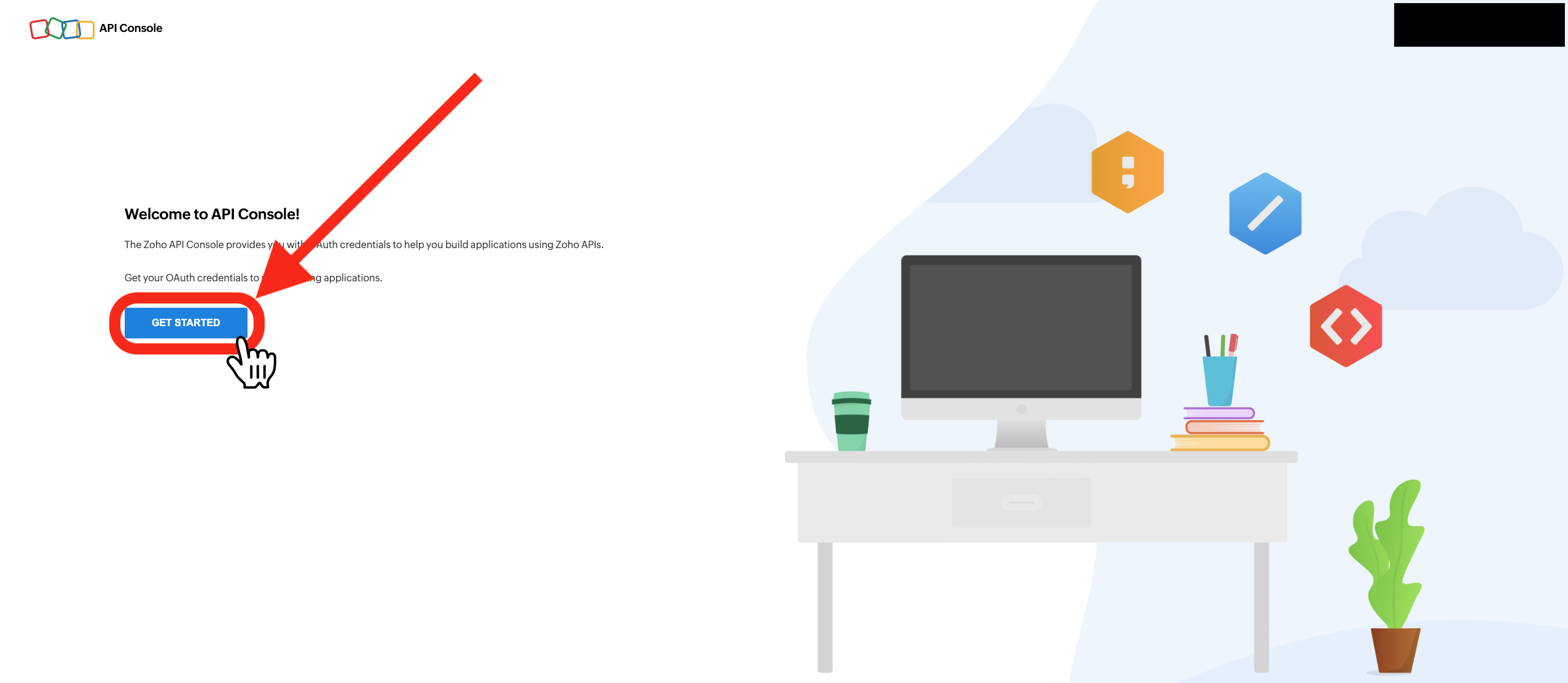
    If you see the following screen, then click `Get Started`. Otherwise, continue.

    <img src="https://mintcdn.com/hotglue/MXLpjTCRR2PmjJP6/connectors/images/ZohobooksGetStarted.png?fit=max&auto=format&n=MXLpjTCRR2PmjJP6&q=85&s=6d0e22d34ad69491449076c3d27c9fc9" alt="" width="2553" height="1112" data-path="connectors/images/ZohobooksGetStarted.png" />

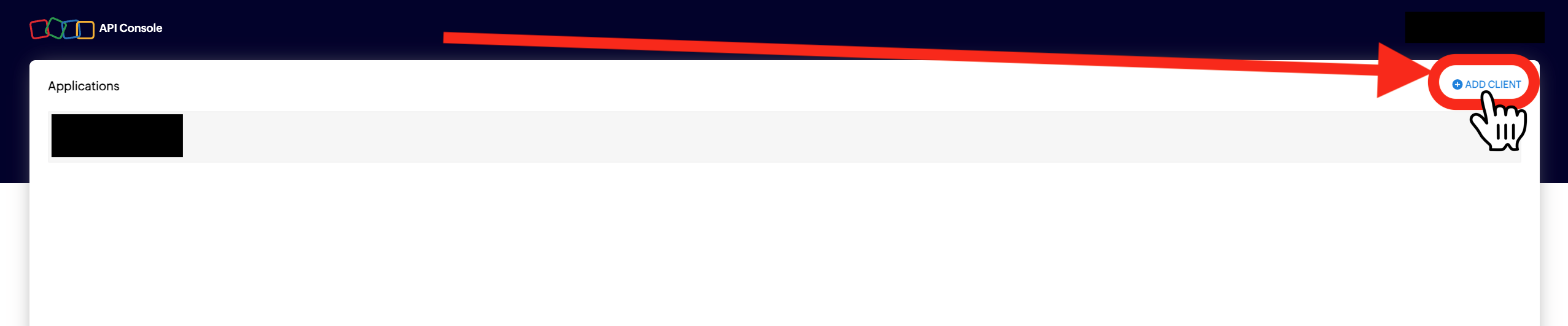
    If you see this screen, then click `Add Client`. Otherwise, continue.
    <img src="https://mintcdn.com/hotglue/MXLpjTCRR2PmjJP6/connectors/images/ZohobooksAddClientNext.png?fit=max&auto=format&n=MXLpjTCRR2PmjJP6&q=85&s=7dba63b8161e0e6d935bfe263ed41ee0" alt="" width="2554" height="531" data-path="connectors/images/ZohobooksAddClientNext.png" />

    Click on `Server-based Applications`.

    <img src="https://mintcdn.com/hotglue/MXLpjTCRR2PmjJP6/connectors/images/ZohobooksSelectServer.png?fit=max&auto=format&n=MXLpjTCRR2PmjJP6&q=85&s=0ce0e18c1ffa96e433b492967c4b55bc" alt="" width="2550" height="509" data-path="connectors/images/ZohobooksSelectServer.png" />

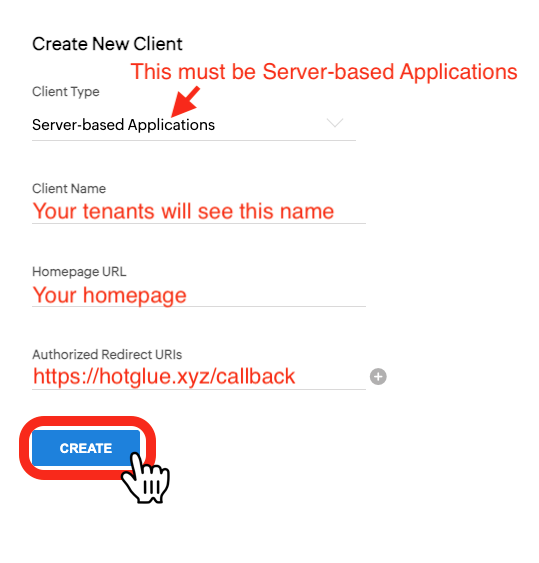
    Fill out the fields in the following manner:

    * Client Name: The name your tenants will see when connecting.
    * Homepage URL: Your homepage URL.
    * Authorized Redirect URIs: `https://hotglue.xyz/callback`.

    Then, hit the create button.
    <img src="https://mintcdn.com/hotglue/MXLpjTCRR2PmjJP6/connectors/images/ZohobooksCredentialsFields.png?fit=max&auto=format&n=MXLpjTCRR2PmjJP6&q=85&s=f0a3739353bc6a029df89d4df106ae96" alt="" width="539" height="563" data-path="connectors/images/ZohobooksCredentialsFields.png" />
  </Step>

  <Step>
    #### Step 3: Set your credentials to work in all regions

    Click on your newly created Application in the API Console (see Step 1 if need be).

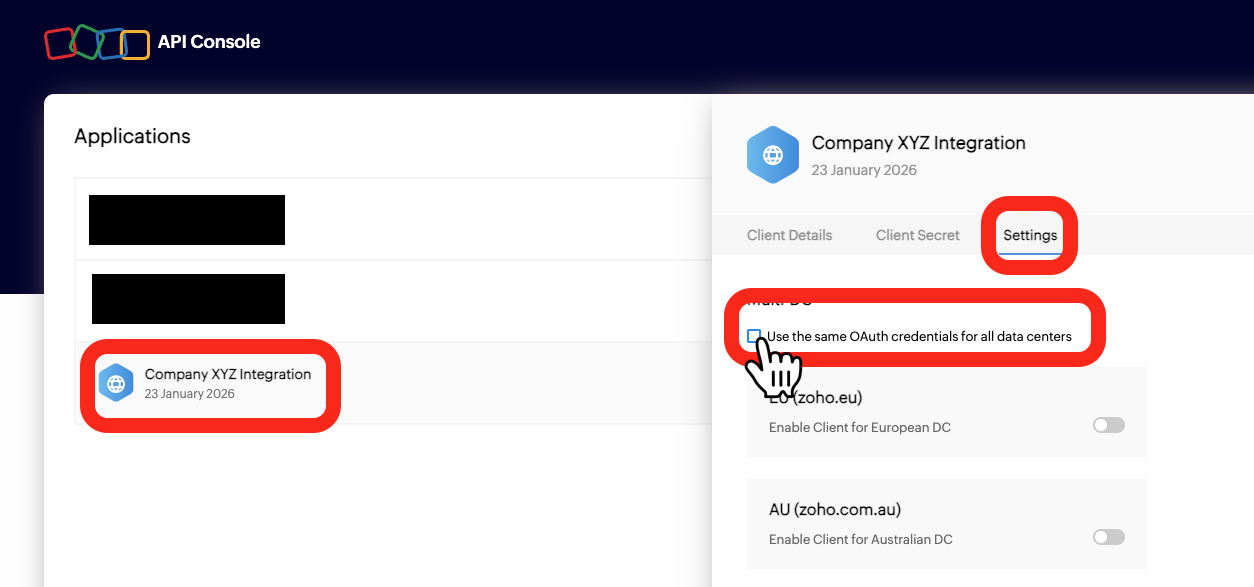
    Hit `Settings`.

    Check the box that says `Use the same OAuth credentials for all data centers`.

    <img src="https://mintcdn.com/hotglue/MXLpjTCRR2PmjJP6/connectors/images/ZohobooksRegionAll.png?fit=max&auto=format&n=MXLpjTCRR2PmjJP6&q=85&s=53e9e91c766c20a91b1b7d7e5788ad87" alt="" width="1254" height="587" data-path="connectors/images/ZohobooksRegionAll.png" />

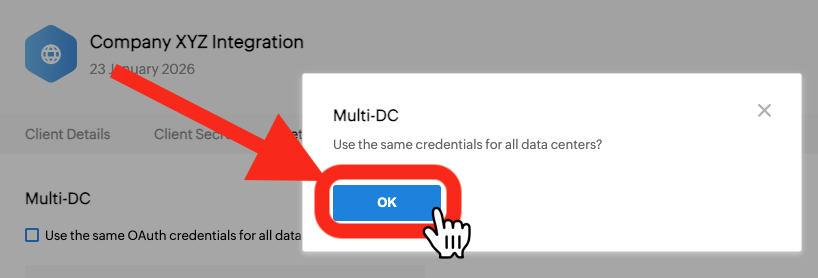
    Click `Ok`.

    <img src="https://mintcdn.com/hotglue/MXLpjTCRR2PmjJP6/connectors/images/ZohobooksConfirmMultiDC.png?fit=max&auto=format&n=MXLpjTCRR2PmjJP6&q=85&s=113dd132c694d7f1a54bf1ecdc0561df" alt="" width="818" height="278" data-path="connectors/images/ZohobooksConfirmMultiDC.png" />
  </Step>

  <Step>
    #### Step 4: Copy your credentials to Hotglue

    Click on your newly created Application in the API Console (see Step 1 if need be).

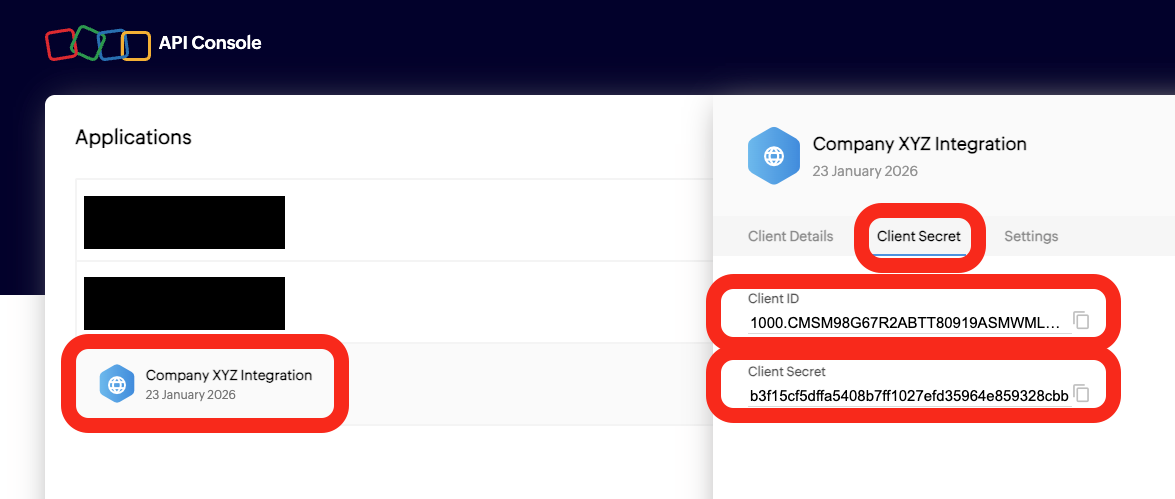
    Hit `Client Secret`.

    <img src="https://mintcdn.com/hotglue/MXLpjTCRR2PmjJP6/connectors/images/ZohobooksCopyCredentials.png?fit=max&auto=format&n=MXLpjTCRR2PmjJP6&q=85&s=f9e1ced23069facaf355bb1aae87a088" alt="" width="1175" height="499" data-path="connectors/images/ZohobooksCopyCredentials.png" />

    Copy your credentials to Hotglue.

    Congratulations, you have set up an OAuth app for your tenants to connect to!
  </Step>
</Steps>