> ## Documentation Index
> Fetch the complete documentation index at: https://docs.hotglue.com/llms.txt
> Use this file to discover all available pages before exploring further.
# Creating and Updating Source Settings
> Modifying Hotglue Source Settings
Source settings are stored in an environment file called `availableSources.json` that you can modify via either the CLI or the Hotglue Web App.
By modifiying one of the default available Source that Hotglue provides, you will be creating a forked Source. This will add a field called `isforked` to the settings.
## Modifying `availableSources.json` with the Hotglue CLI
Your current list of forked Source settings can be downloaded, edited, and deployed via the [Hotglue CLI](/cli/env)
## Modifying `availableSources.json` via Hotglue environment settings
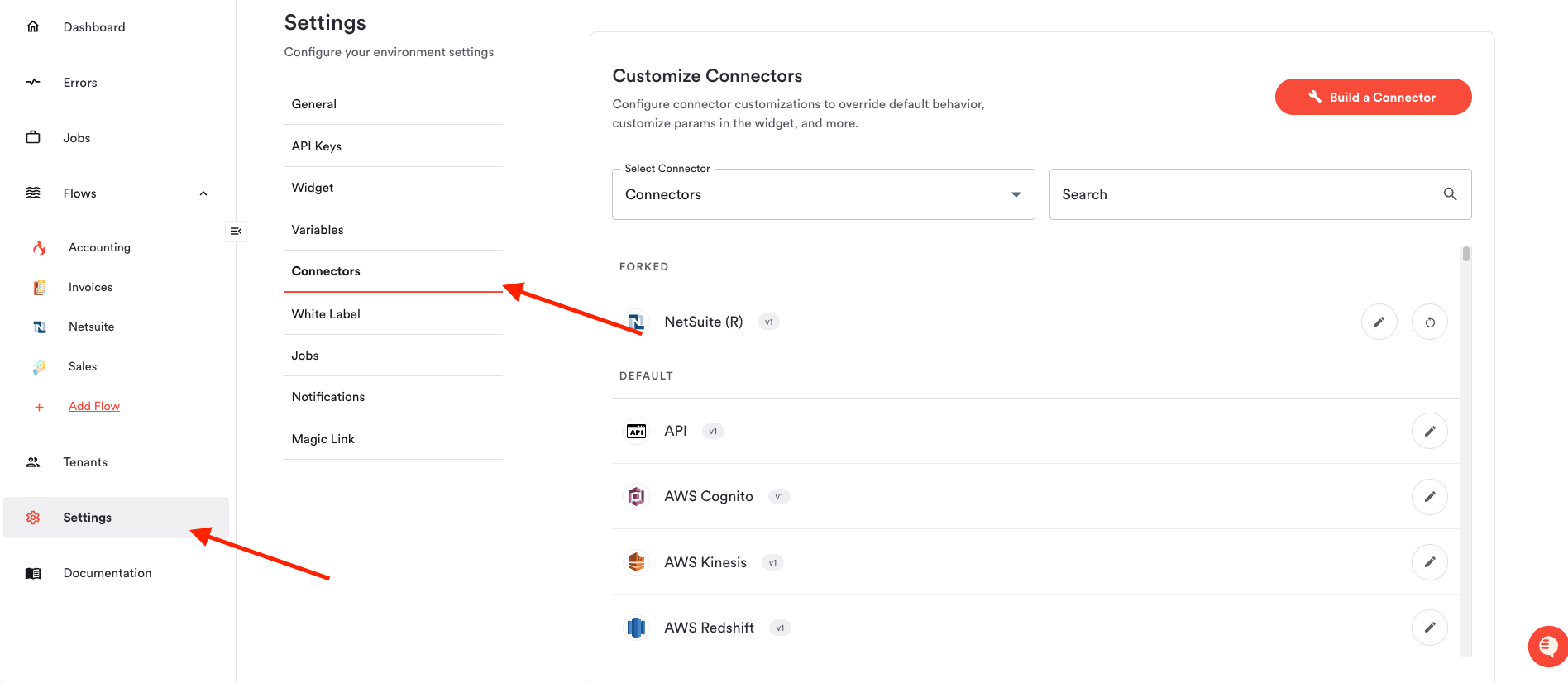
You can edit your `availableSources.json` by navigating to your Environment's `Settings` > `Connectors :`
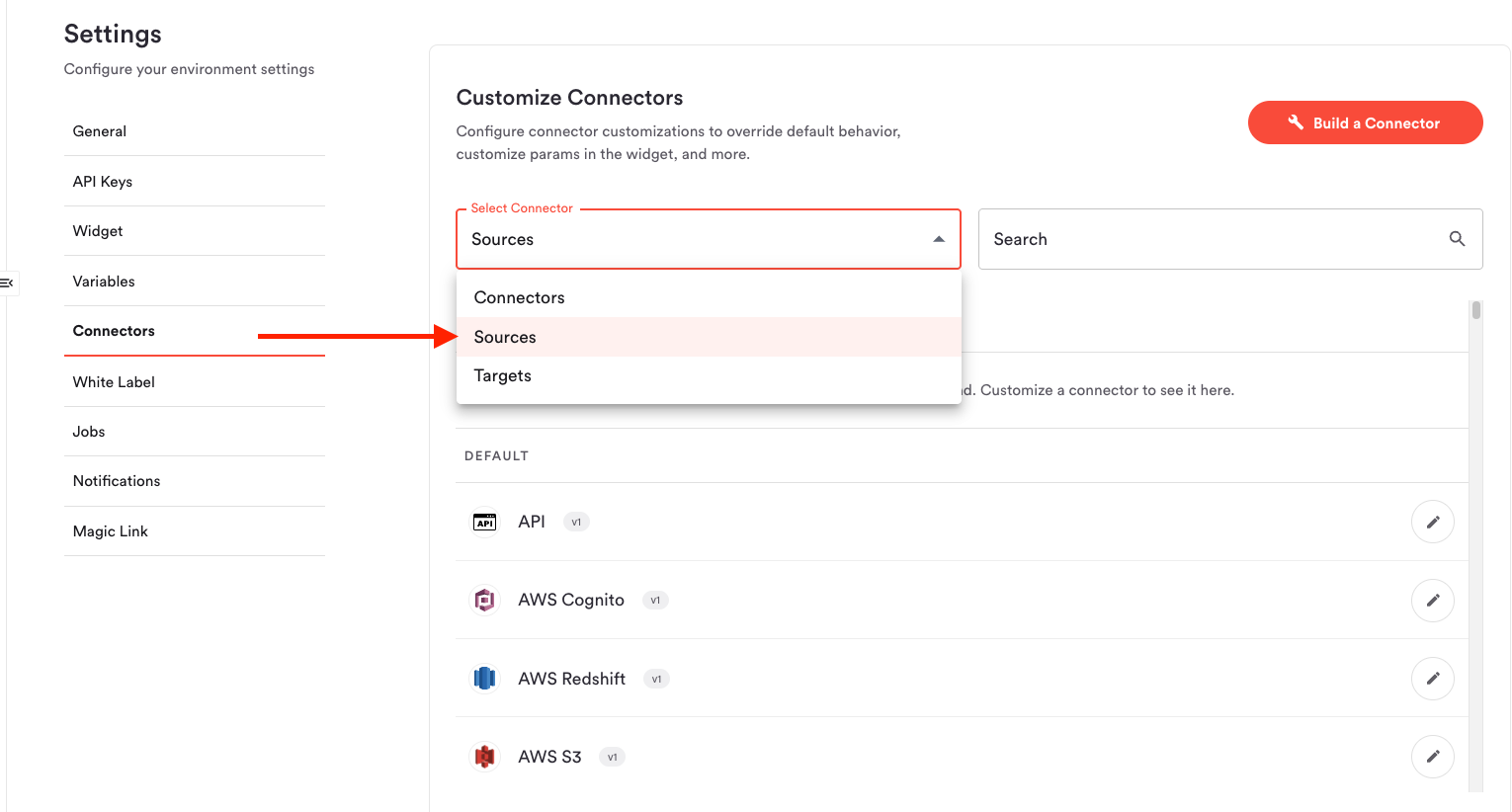
 And selecting Sources in the dropdown menu:
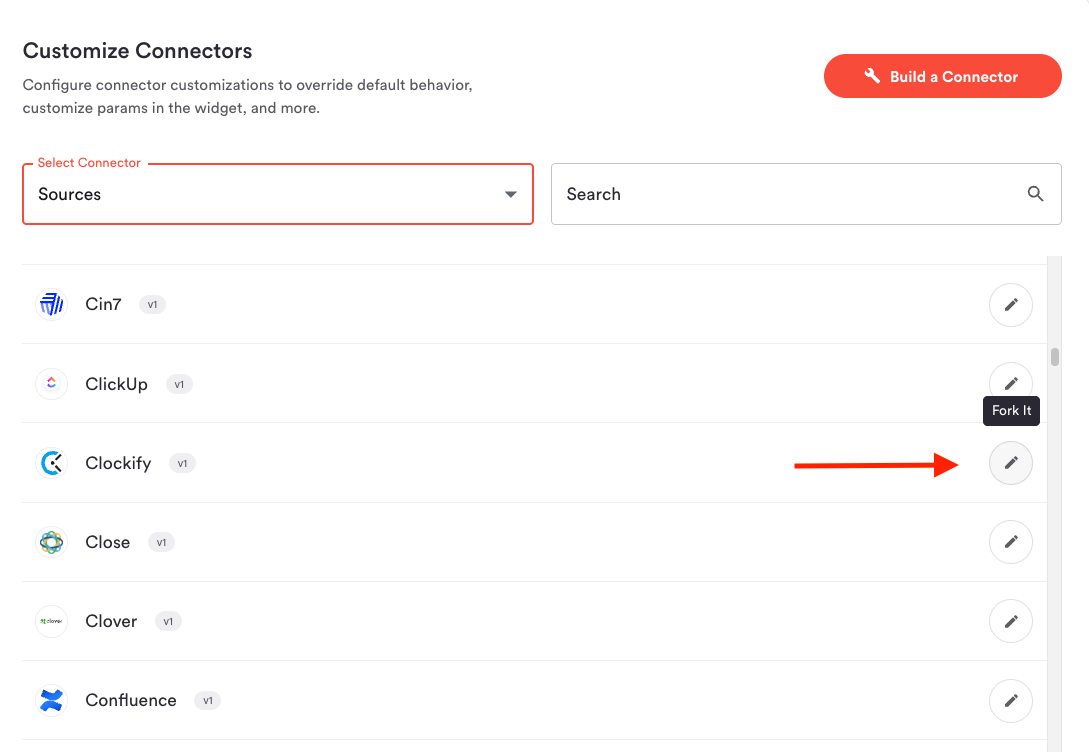
 From there, press the Edit button for the desired Source:
 > Note that `availableSources.json` is unique to each of your environments