> ## Documentation Index
> Fetch the complete documentation index at: https://docs.hotglue.com/llms.txt
> Use this file to discover all available pages before exploring further.
# setLocalization
> Customize text and labels displayed throughout the Hotglue Widget v3 interface.
## setLocalization
The `localization` configuration allows you to override default text and labels displayed throughout the Hotglue Widget v3 interface.
> ⚠️ `localization` only affects display text. It does not change connector functionality or behavior.
## Localization Parameters
The following sections of the widget support text customization:
* Connectors List
* Connector Manager
* Connect Params
* Connector Flow Selector
* Field Map Editor
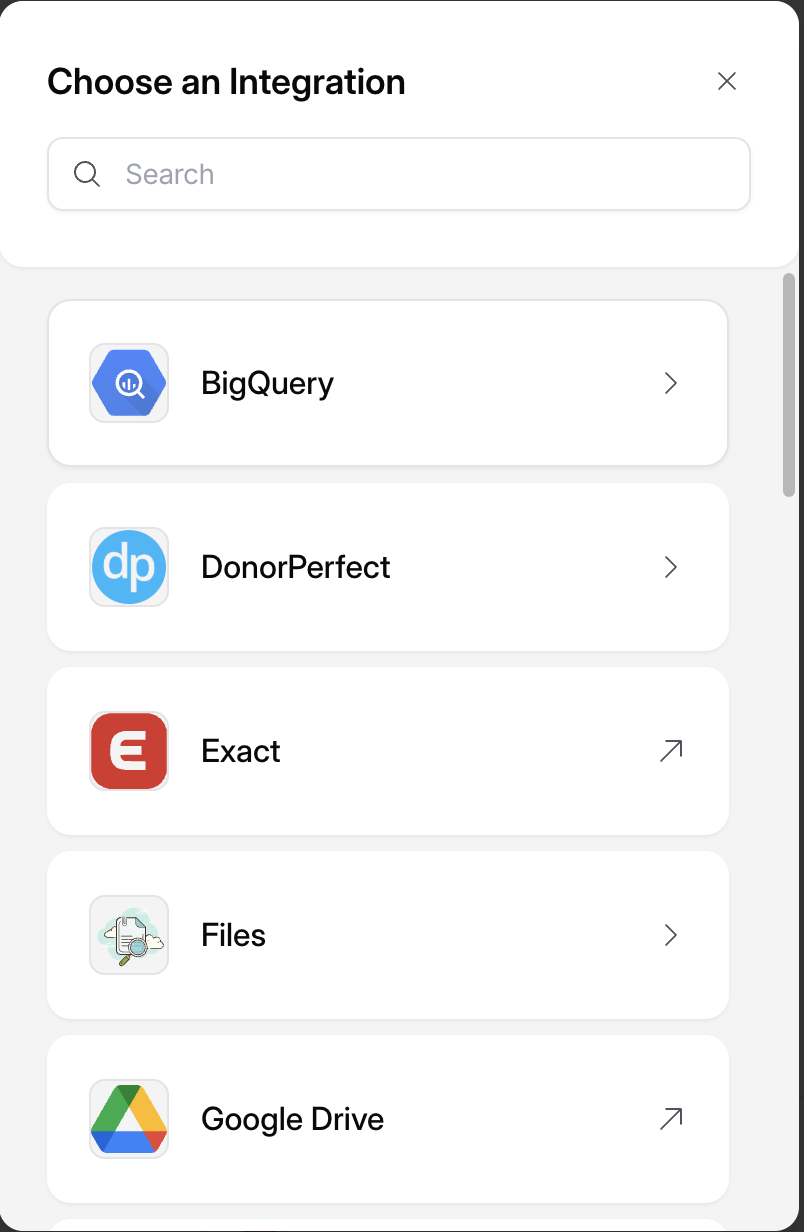
### Connectors List
Controls the text displayed on the connector selection screen.
#### Supported Fields
```tsx theme={null}
ConnectorsList: {
title?: string
}
```
#### Example
```tsx theme={null}
ConnectorsList: {
title: "Choose an Integration"
}
```
 ### Connector Manager
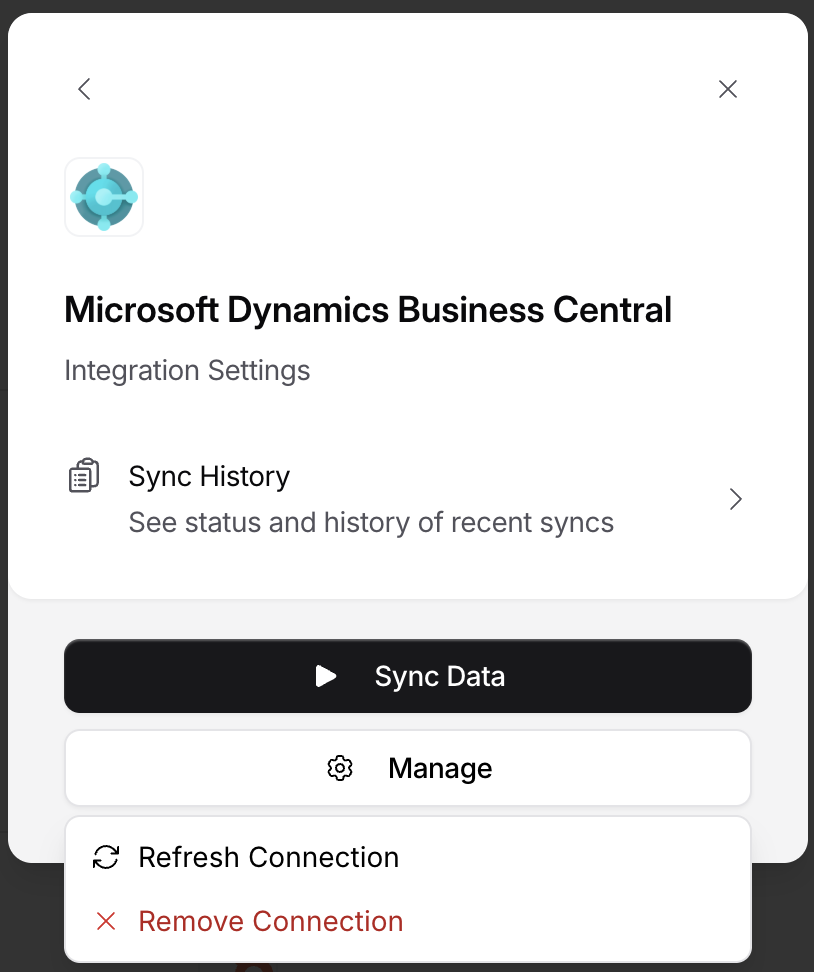
Controls the text displayed after a connector has been successfully linked.
#### Supported Fields
```tsx theme={null}
ConnectorManager: {
title?: string
actions?: {
reconnect?: string
disconnect?: string
},
fieldMap?: {
title?: string
subtitle?: string
}
}
```
#### Example
```tsx theme={null}
ConnectorManager: {
title: "Integration Settings",
actions: {
reconnect: "Refresh Connection",
disconnect: "Remove Connection"
},
fieldMap: {
title: "Edit field map",
subtitle: "Choose which tables and fields should sync."
}
}
```
### Connector Manager
Controls the text displayed after a connector has been successfully linked.
#### Supported Fields
```tsx theme={null}
ConnectorManager: {
title?: string
actions?: {
reconnect?: string
disconnect?: string
},
fieldMap?: {
title?: string
subtitle?: string
}
}
```
#### Example
```tsx theme={null}
ConnectorManager: {
title: "Integration Settings",
actions: {
reconnect: "Refresh Connection",
disconnect: "Remove Connection"
},
fieldMap: {
title: "Edit field map",
subtitle: "Choose which tables and fields should sync."
}
}
```
 ### Connect Params
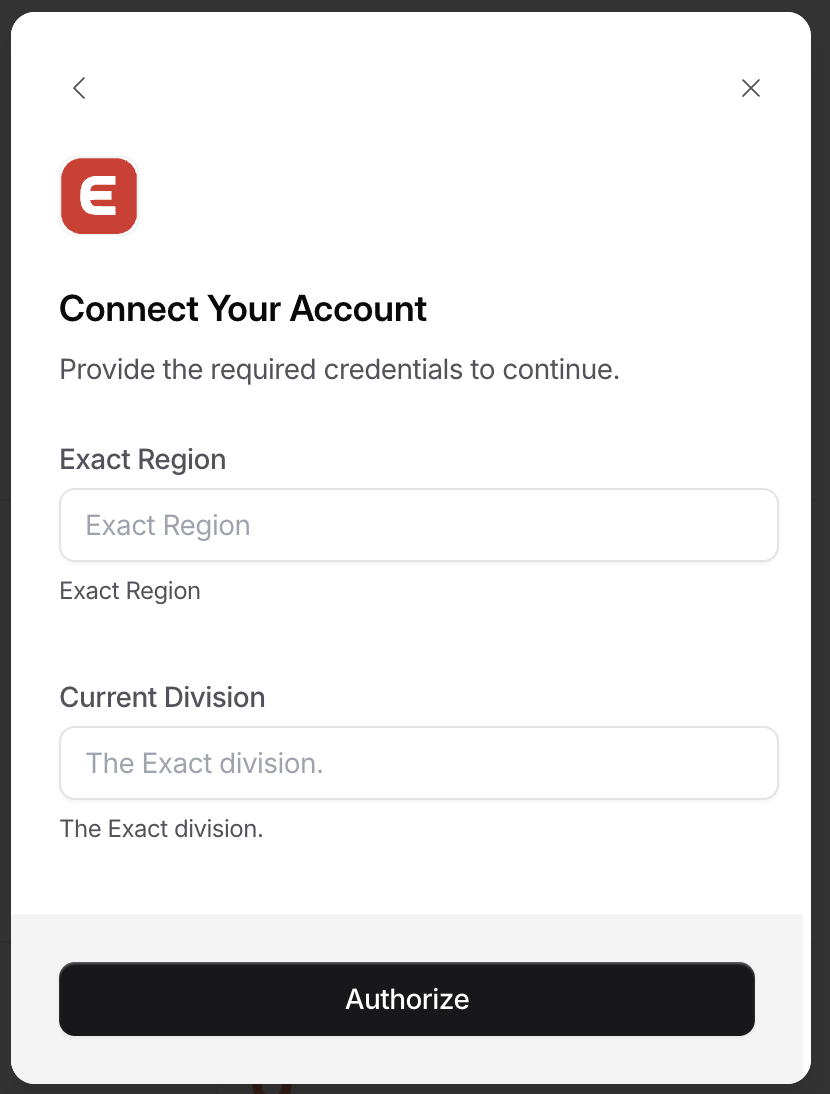
Controls text shown when users are entering authentication or configuration details.
#### Supported Fields
```tsx theme={null}
ConnectParams: {
title?: string
description?: string
action?: string
}
```
#### Example
```tsx theme={null}
ConnectParams: {
title: "Connect Your Account",
description: "Provide the required credentials to continue.",
action: "Authorize"
}
```
### Connect Params
Controls text shown when users are entering authentication or configuration details.
#### Supported Fields
```tsx theme={null}
ConnectParams: {
title?: string
description?: string
action?: string
}
```
#### Example
```tsx theme={null}
ConnectParams: {
title: "Connect Your Account",
description: "Provide the required credentials to continue.",
action: "Authorize"
}
```
 ### Connector Flow Selector
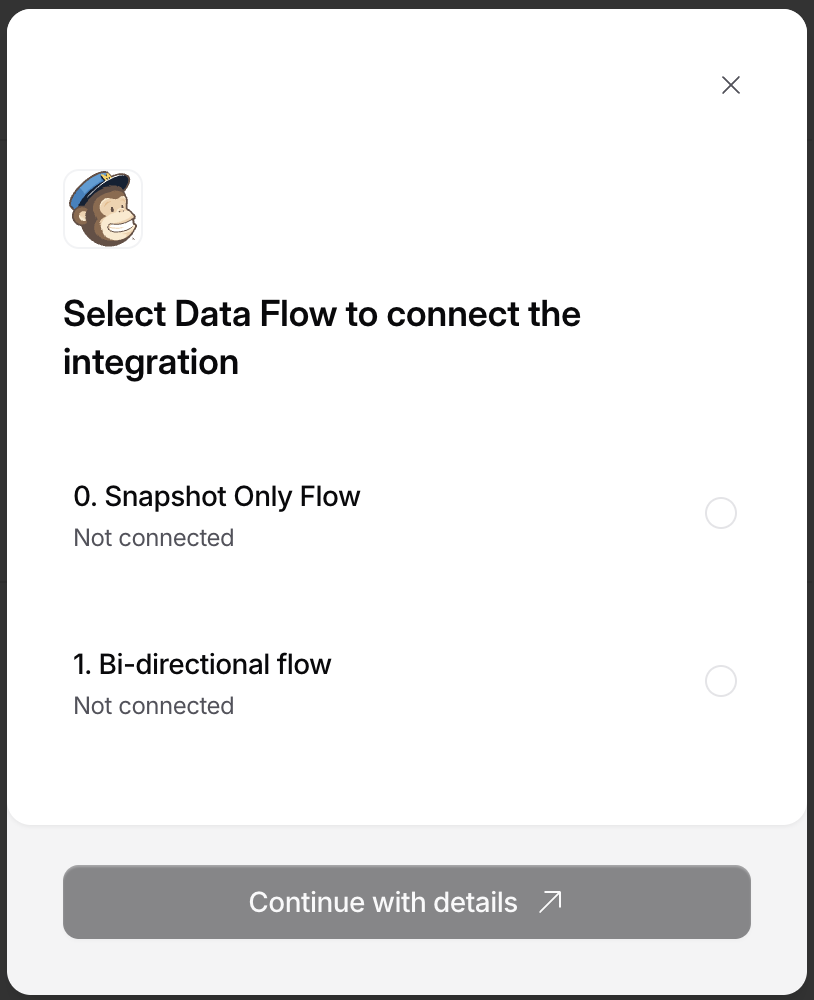
Controls text shown when users select a connection flow type.
#### Supported Fields
```tsx theme={null}
ConnectorFlowSelector: {
title?: string
action?: string
}
```
#### Example
```tsx theme={null}
ConnectorFlowSelector: {
title: "Select Data Flow to connect the integration",
action: "Continue with details"
}
```
### Connector Flow Selector
Controls text shown when users select a connection flow type.
#### Supported Fields
```tsx theme={null}
ConnectorFlowSelector: {
title?: string
action?: string
}
```
#### Example
```tsx theme={null}
ConnectorFlowSelector: {
title: "Select Data Flow to connect the integration",
action: "Continue with details"
}
```
 ### Field Map Editor
Controls text shown when users select tables and fields for a linked connector.
The field map editor supports these localization entries:
* `ConnectorManager.fieldMap.title`
* `ConnectorManager.fieldMap.subtitle`
* `fieldMap.selectorTitle`
* `fieldMap.selectorDescription`
#### Supported Fields
```tsx theme={null}
fieldMap: {
selectorTitle?: string
selectorDescription?: string
}
```
#### Example
```tsx theme={null}
fieldMap: {
selectorTitle: "Select tables",
selectorDescription: "Choose the tables and fields to include in syncs."
}
```
### Complete Example
Below is a full example combining all supported localization options.
```tsx theme={null}
setLocalization({
ConnectorsList: {
title: "Choose an Integration"
},
ConnectorManager: {
title: "Integration Settings",
actions: {
reconnect: "Refresh Connection",
disconnect: "Remove Connection"
},
fieldMap: {
title: "Edit field map",
subtitle: "Choose which tables and fields should sync."
},
},
ConnectParams: {
title: "Connect Your Account",
description: "Provide the required credentials to continue.",
action: "Authorize"
},
ConnectorFlowSelector: {
title: "Select Data Flow to connect the integration",
action: "Continue with details"
},
fieldMap: {
selectorTitle: "Select tables",
selectorDescription: "Choose the tables and fields to include in syncs."
},
});
```
### Field Map Editor
Controls text shown when users select tables and fields for a linked connector.
The field map editor supports these localization entries:
* `ConnectorManager.fieldMap.title`
* `ConnectorManager.fieldMap.subtitle`
* `fieldMap.selectorTitle`
* `fieldMap.selectorDescription`
#### Supported Fields
```tsx theme={null}
fieldMap: {
selectorTitle?: string
selectorDescription?: string
}
```
#### Example
```tsx theme={null}
fieldMap: {
selectorTitle: "Select tables",
selectorDescription: "Choose the tables and fields to include in syncs."
}
```
### Complete Example
Below is a full example combining all supported localization options.
```tsx theme={null}
setLocalization({
ConnectorsList: {
title: "Choose an Integration"
},
ConnectorManager: {
title: "Integration Settings",
actions: {
reconnect: "Refresh Connection",
disconnect: "Remove Connection"
},
fieldMap: {
title: "Edit field map",
subtitle: "Choose which tables and fields should sync."
},
},
ConnectParams: {
title: "Connect Your Account",
description: "Provide the required credentials to continue.",
action: "Authorize"
},
ConnectorFlowSelector: {
title: "Select Data Flow to connect the integration",
action: "Continue with details"
},
fieldMap: {
selectorTitle: "Select tables",
selectorDescription: "Choose the tables and fields to include in syncs."
},
});
```