
Background

A target is an integration that reads data and writes it to some target system. For example, hotglue supports targets for:
  • Uploading files to storage systems S3, Azure Blob Storage, or SFTP servers.
  • Creating and Updating invoices in ERPs like Netsuite, Sage Intacct, and Dynamics BC
  • Upserting records into databases like Postgres, Snowflake, and BigQuery
In most cases, targets expect their input in the form of a Singer file, a variation of jsonl for structured streaming data.

Setting up a local target environment

Virtual Environments

Dependencies can differ from target to target, so it is best to use a virtual environment to isolate the target’s Python dependencies. You can create a virtual environment named .venv in your target workspace with:
python -m venv .venv
You can then enter the virtual environment with:
source .venv/bin/activate
Finally, you can install the tap’s dependencies depending on how they are specified:
Dependency FileCommand
requirements.txtpip install -r requirements.txt
setup.pypip install -e .
pyproject.tomlpip install -e .

Config

Targets require a valid config, which will include fields like API keys, OAuth credentials, and configuration flags. For example:
{
  "client_id": "...",
  "client_secret": "...",
  "refresh_token": "...",
  "access_token": "...",
  "start_date": "2025-01-25T00:00:00Z"
}
Most target will include information about the required config values in their README’s.
💡 To keep your workspace clean, create a .secrets folder to store your config.json. Run all tap commands out of this folder to make sure your catalogs and output data stay separate from relevant code.

Data

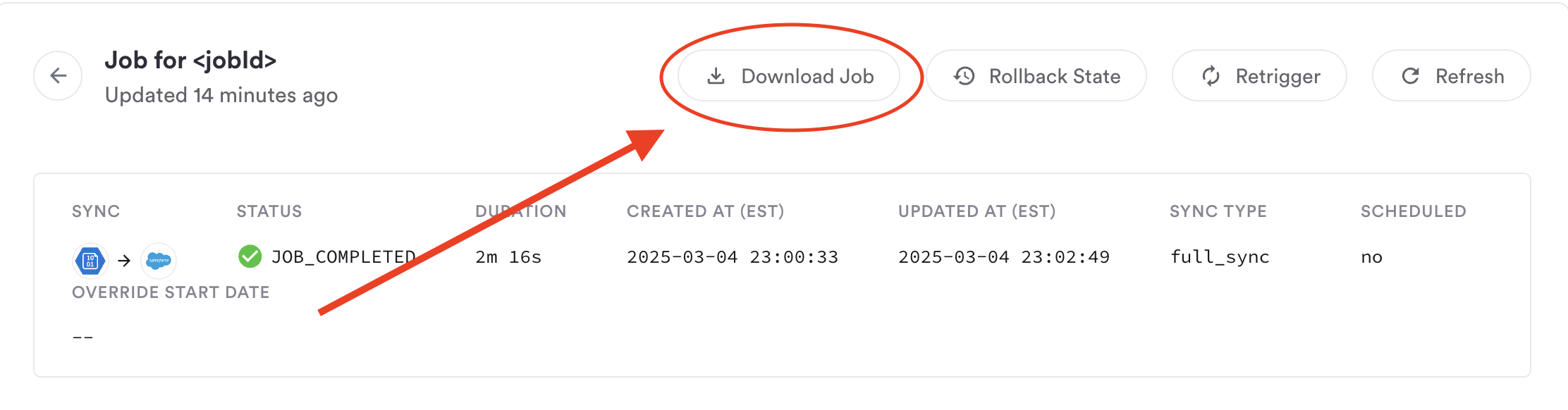
If you want to try to reproduce the behavior of a particular hotglue job, you can download the job folder on your hotglue job page: The etl-output folder will contain the raw input file(s) used by the target. In most cases, you’ll see a singular data.singer file with all your data:
{"type":"SCHEMA","stream":"Invoices","schema":{"type":["object","null"],"properties":{"invoiceId":{"type":["string","null"]},"date":{"type":["string","null"]},"total":{"type":["number","null"]}}},"key_properties":[]}
{"type":"RECORD","stream":"Invoices","record":{"invoiceId":"INV-001","date":"2025-02-11T00:00:00.000Z","total":112.40}}
{"type":"SCHEMA","stream":"InvoicePayments","schema":{"type":["object","null"],"properties":{"paymentId":{"type":["string","null"]},"amount":{"type":["number","null"]}}},"key_properties":[]}
{"type":"RECORD","stream":"InvoicePayments","record":{"paymentId":"PAY-001","amount":85.50}}
Place your data.singer somewhere accessible by your target. We recommend placing it in a git-ignored .secrets with your config.json to avoid accidently committing it.

Running a target

You can now pipe your data into the target. If your target is named target-salesforce, you would run:
target-salesforce < data.singer --config config.json > target-state.json
This will process your singer file line by line and (if supported by the target) write the export results to a file named target-state.json. If you attempted to send two contacts to Salesforce, your target state might look something like this:
{
    "bookmarks": {
        "Contacts": [
            {
                "hash": "372f2b3f76de48b1823db1ed2333042ef312ce2ba2b50165467ae64a78c05a71",
                "success": true,
                "id": 900,
                "externalId": "903093"
            }
            {
                "hash": "97a8sdhge48b1823db1ed2333042ef312ce2ba2b5016sd5467ae64a78c05a71",
                "externalId": "903094",
                "error": "Email 'Bi@[email protected] is invalid'"
            }
        ]
    },
    "summary": {
        "Contacts": {
            "success": 0,
            "fail": 1,
            "existing": 0,
            "updated": 1
        }
    }
}
Here id is the id in Salesforce and externalId (if passed on the record) is the id in the source system. If you prefer to work with VSCode’s Debugger, you can run the target with the following configuration:
{
  "name": "target-salesforce",
  "type": "python",
  "request": "launch",
  "justMyCode": false,
  "program": "../target_salesforce/target.py",
  "cwd": "ABSOLUTE_PATH_TO_TARGET_DIRECTORY/target-salesforce/.secrets",
  "args": ["<", "data.singer", "--config", "config.json", ">", "state.json"],
  "console": "integratedTerminal",
  "python": "ABSOLUTE_PATH_TO_TARGET_DIRECTORY/target-salesforce/.venv/bin/python"
}