

Connector Details
Credentials Setup
Follow the steps below to obtain the credentials required to connect your Stripe account with Hotglue. Stripe uses API Keys for authentication. These keys allow Hotglue to securely access data from your Stripe account. The first step is to log in to your Stripe Dashboard. Once logged in, navigate to the Developers section in the left sidebar and click on API Keys.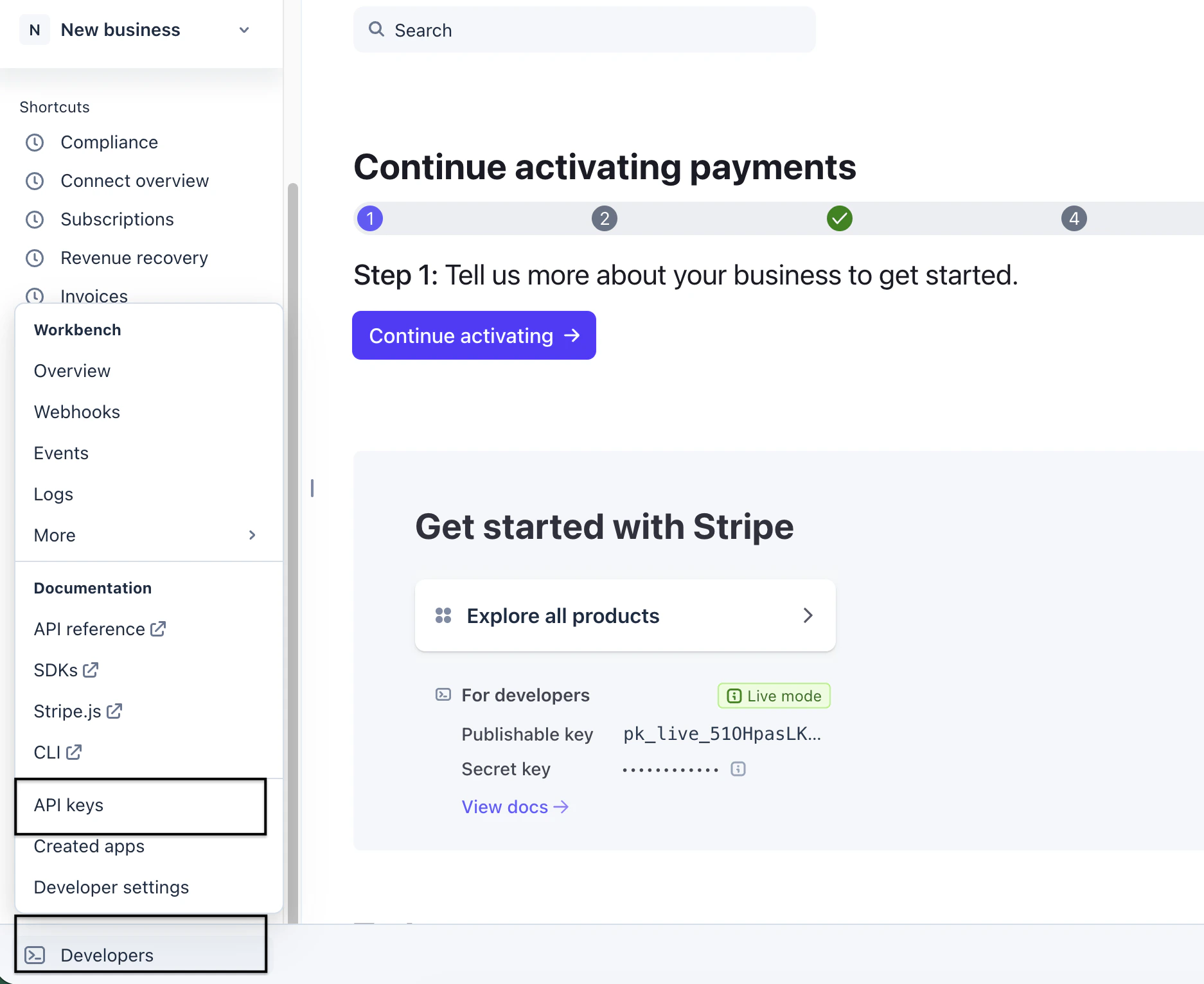
Stripe API Key
- Publishable Key
- Secret Key
📘 Tip Make sure you copy the Secret Key and not the Publishable Key. The Secret Key provides the permissions required to access Stripe data through the API.Click Reveal test key or Reveal live key, depending on the environment you want to connect.
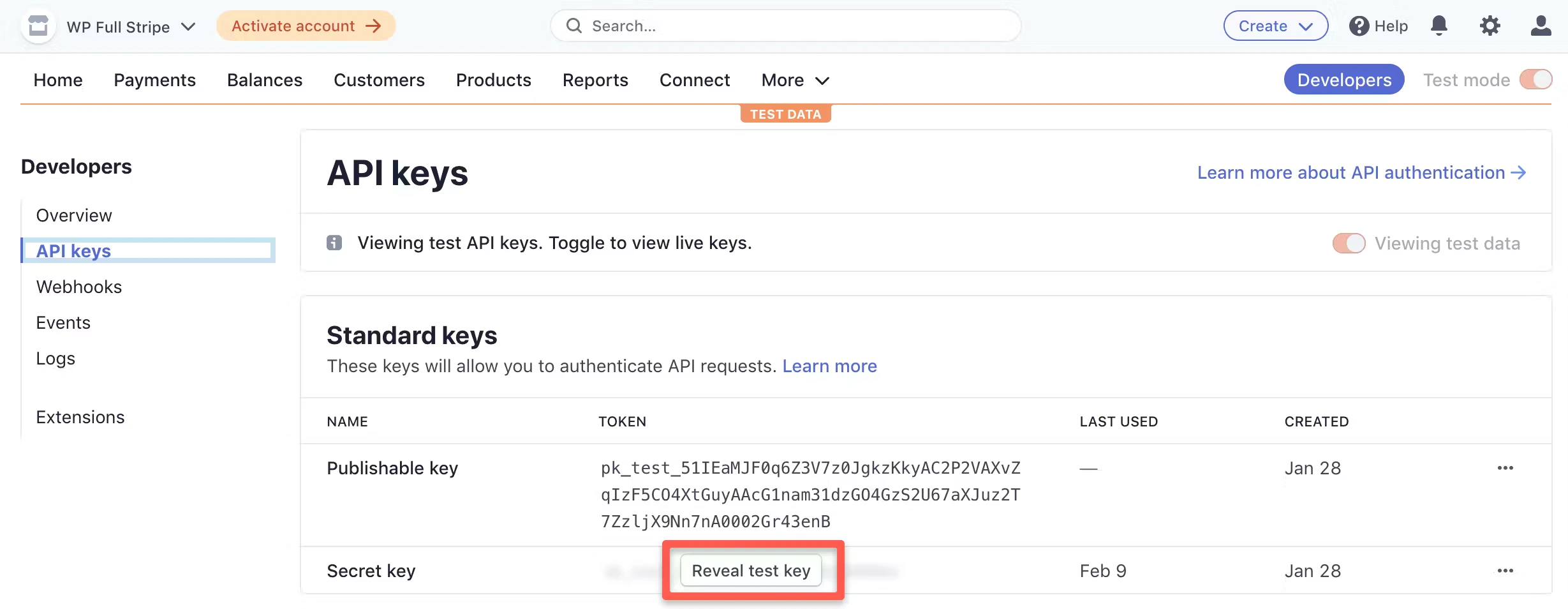
Secret key
Supported Data Objects
The Stripe connector supports reading several commonly used Stripe resources including:- Customers
- Charges
- Payment Intents
- Checkout Sessions
- Promotion Codes
- Subscriptions
- Balance Transactions
- Invoices
Tap Changelog
Tap Changelog
|Version|Notes| | :--- | :--- | |v1.5.6|| |v1.5.5|| |v1.5.4|| |v1.5.3 - Add support for payment intents|- Add support for
- Add
payment_intents- Add
metadata field to checkout_session object| |v1.5.2|- Add support for promotion_codes and checkout_sessions|