

Connector Details
Credentials Setup: Personal Access Token (PAT) or OAuth (recommend)
PAT Configuration
Go to the Databricks Website and sign-inClick on your user account image on the top right of the screen
Go to
SettingsGo to
User -> DeveloperUnder
Access Tokens, click on ManageThen click on
Generate new TokenAdd a
Comment for this token, set a life time and under API Scopes select sql
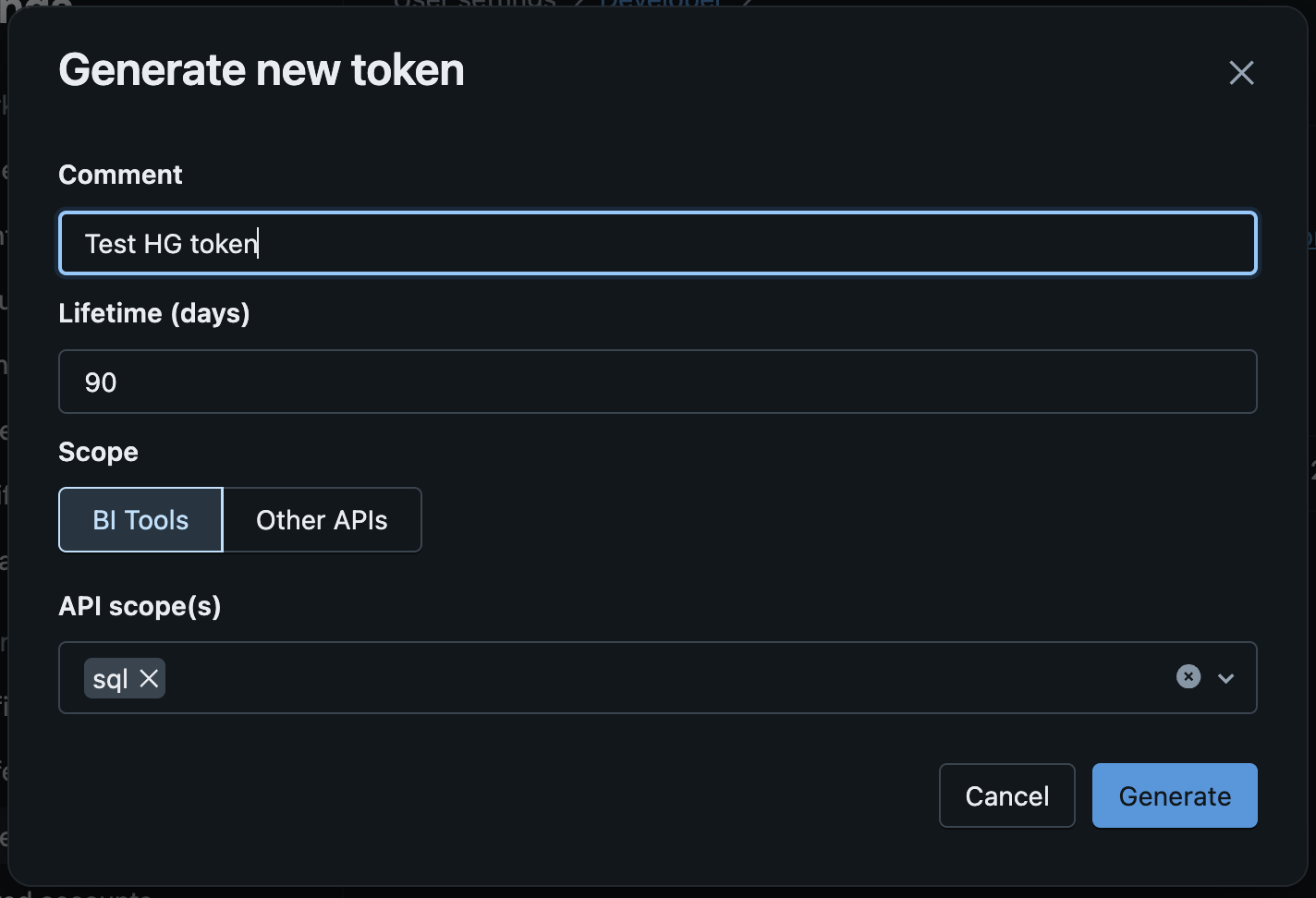
GenerateCopy the newly generated token and use it in the hotglue target configuration
OAuth Configuration
Note: this authentication method is not avaible on Databricks free edition. Follow the steps below to register the “OAuth App” you need to use the Databricks connector. This is a one-time process to create your OAuth app. Once you add your app credentials to hotglue, your client will just need to login to their Databricks account. Go to the Databricks Accounts ConsoleOn the left menu click on
SettingsThen click on the
App Connections tabClick on
Add ConnectionEnter an application name (example:
HG Test)In Redirect URLs enter
https://hotglue.xyz/callbackIn
Access Scopes select SQL

AddYou will be shown a modal with the Client ID and Client Secret. Copy both values, you’ll use it in the hotglue target configuration